If your phone has rung with a calm, slightly too polite voice asking what you charge for a drain cleaning or whether you can fit someone in this week, it may have been Google. Google Search can now phone local businesses on behalf of a customer, ask about price and availability, and send that customer a summary of the answers. The customer never talks to you. Whatever your team says on that call becomes your pitch.
This guide covers what the feature is, which businesses it calls, what it asks, how to answer well, and how to turn it off if you would rather not take these calls.
How this guide was put together: every fact about the feature comes from Google’s own announcements and help pages or from dated news coverage, all linked below. We have not recorded calls ourselves, and we note where Google has not published details. We earn nothing from anything mentioned on this page. See our editorial policy.
Is Google really calling my business?
Yes. Google confirms in its Business Profile help center that it may call your business to “confirm pricing and in-store availability of products or services” for customers, and that these calls are “monitored and recorded for quality assurance.” A customer asks Google to make the call; Google’s system dials a shortlist of nearby businesses, asks the customer’s questions, and returns the answers.
The feature has grown in steps since early 2025:
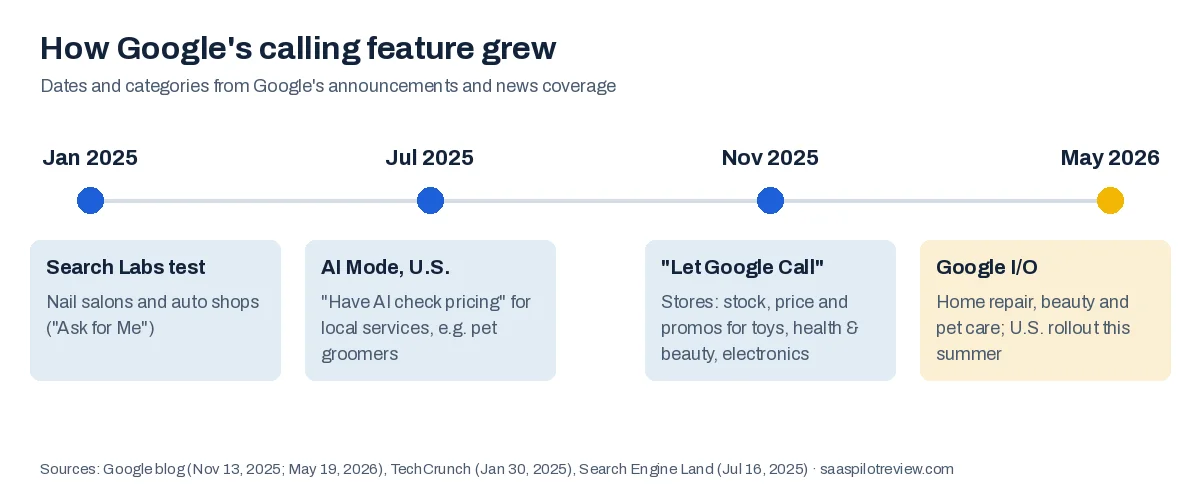
| When | What Google launched | Who gets called |
|---|---|---|
| January 30, 2025 | “Ask for Me” test in Search Labs | Nail salons and auto shops |
| July 16, 2025 | “Have AI check pricing” in U.S. Search | Local services, for searches like “pet groomers near me” |
| November 13, 2025 | “Let Google Call” for shopping | Stores, about stock, price and promotions in toys, health and beauty, and electronics |
| May 19, 2026 | Google I/O announcement | “Select categories like home repair, beauty or pet care,” rolling out to everyone in the U.S. this summer |
Google says the calls run on its Duplex technology, the same system it first showed in 2018 for restaurant bookings, now paired with a Gemini model that helps choose which businesses to call and what to ask.
Which businesses get these calls?
Mostly businesses that do not publish prices online and quote by phone. That is why the first categories were nail salons and auto shops, and why home repair, beauty and pet care were the categories Google named for the 2026 expansion. A plumber, HVAC company, groomer or salon that lists services on its Business Profile but no prices is exactly the kind of business the feature was built to call.
Stores are treated differently. For products, Google says it uses the inventory data a store already shares through Google Merchant Center instead of calling. Service businesses have no equivalent feed, so the phone call is the data source.
Google has not said how it builds the shortlist of businesses to call. Several agencies claim the system favors profiles with complete services, accurate hours and recent reviews. That is plausible, but Google has not confirmed it, so treat it as a guess.
What does the AI ask?
It asks the questions the customer gave it. In the first test, Google prompted customers for the service and a time frame, with examples like “tire replacement,” “factory scheduled maintenance,” “french manicure” and “nail art.” For a home service business, expect some version of these:

- Price: what a specific job costs, or a starting price.
- Availability: whether you can come, or book them in, within a time frame.
- Service fit: whether you do this kind of job and cover their area.
- Extras: trip charges, diagnostic fees, after-hours rates.
The customer then gets the answers from every business that picked up, side by side. For the shopping version, Google sends that summary by email or text.
How to answer so you end up in the summary
Treat the call like a lead that is already comparing you with two or three competitors, because it is. Four habits matter most.
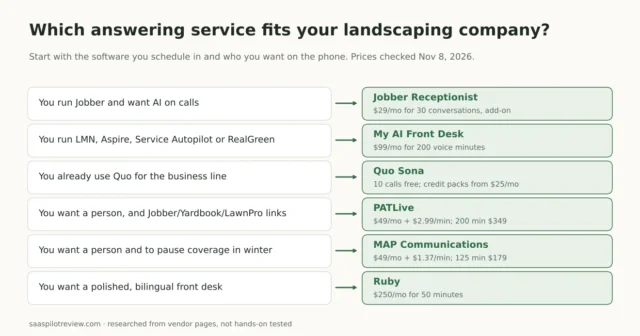
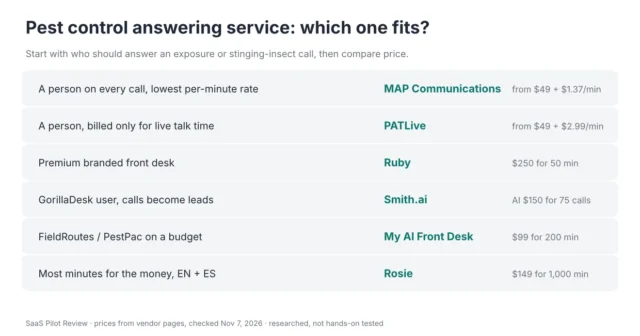
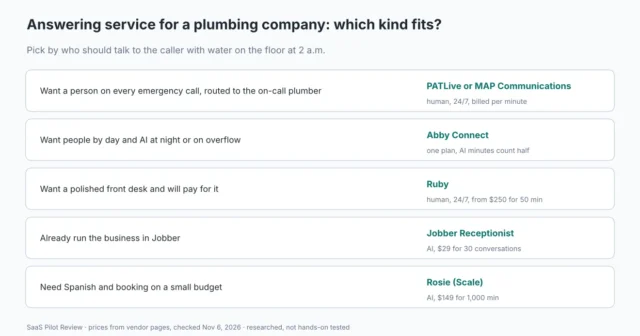
- Answer the phone. A business that does not pick up has nothing to put in the summary. If your techs are on jobs all day, this is the strongest argument yet for a call answering setup that covers every ring. Our guide to the best AI receptionists for small businesses compares the options by price and setup.
- Give a number or a range. “It depends, we’d have to come out” is accurate and loses the comparison. “Drain clearing starts at $189, most jobs land between $189 and $350” gives the customer something to compare. If you never quote by phone, say what the visit or diagnostic fee is.
- Name a real opening. “Thursday afternoon” beats “sometime this week.” Only promise what your schedule shows.
- Say the same thing every time. Write a one-page answer sheet for your top five jobs, your service area and your fees, and keep it by the phone or loaded into your answering service. Whoever picks up, Google should hear the same prices.
If an AI receptionist answers for you, check what it says about price. Many are set up to avoid quoting and to push for a callback. That works with a human caller and fails here: Google’s caller will not wait for a callback, so your summary line ends up empty. If you are weighing who should pick up, compare an AI receptionist versus a human answering service on cost and coverage.
Can I stop Google from calling my business?
Yes. Google gives two ways to opt out.
During a call: say “Please remove my business from your list” or “Please stop calling my business.”
In your Business Profile settings (the profile must be verified):
- Go to business.google.com and open your profile.
- Choose More, then Business Profile settings, then Advanced settings.
- Under Google automated calls and text messages, turn off the options you don’t want. The switch that matches customer price and booking calls is Bookings and inquiries from customers.
The other two switches on that screen, “Keep your profile up to date” and “Post to your profile on your behalf,” control Google’s calls and messages that check your hours and details. Turning those off does not stop customer calls, and Google notes you may still get an occasional manual call to confirm business information.
Should you opt out?
| Your situation | Our suggestion | Why |
|---|---|---|
| You quote by phone and want more booked jobs | Stay in | Each call is a customer comparing prices right now |
| You never quote without a site visit | Stay in, answer with your visit or diagnostic fee | You still appear in the comparison with a clear next step |
| The calls tie up a one-person phone line | Fix call coverage first; opt out only if that is not possible | Opting out removes you from every comparison Google runs |
| You are fully booked for weeks | Opting out is reasonable | You cannot take the work the calls would bring |
How to tell a real Google call from a scam
Scammers have impersonated Google for years, mostly to sell fake listing services. Google’s help center is clear that it will never ask for payment, card details or account passwords. A real customer-inquiry call asks about your prices and availability, nothing more. If a “Google” caller asks you to pay, verify an account or press a key to keep your listing, hang up.
What this means for the next year
Google has said these features will reach everyone in the U.S. over the summer of 2026, and it has kept adding categories. For a small service business, the practical takeaway is simple: the phone is becoming a place where you are compared with competitors in real time, often by software on both ends of the call. Businesses that answer every call with a clear price and a real opening will look better in those summaries than businesses with better reviews that let the phone ring out.
Sources
- Google Business Profile Help, About automated calls and texts from Google to your business (checked October 12, 2026).
- Google blog, Google Search’s I/O 2026 updates, May 19, 2026.
- Google blog, agentic checkout and AI shopping tools, November 13, 2025.
- Search Engine Land, Google Search adds agentic local calling, July 16, 2025.
- TechCrunch, Google’s “Ask for Me” feature calls businesses on your behalf, January 30, 2025.