November 24, 2026 · What changed: On November 17, 2026, Search Engine Roundtable reported that Google now lets Local Services Ads advertisers download their historical reports from the Local Services Ads redirection page. Google’s help page on the move to Performance Max was updated to describe the download. Until then, the same page said the old reports would not move to Google Ads and suggested screenshots.
How this page was made: researched from Google Ads Help, Local Services Help and the Search Engine Roundtable report, not hands-on tested. We have not opened the download page from a migrated account, so file details Google does not publish are marked as unknown.
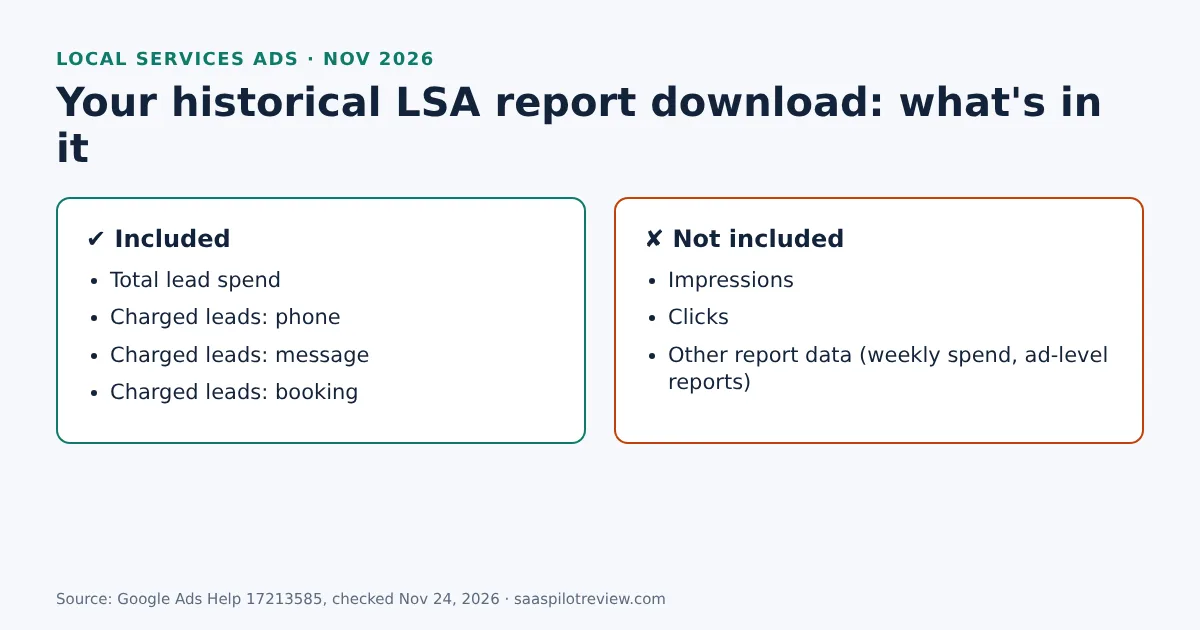
If your Local Services Ads account has moved, or is about to move, into a Performance Max campaign with pay-per-lead goals, Google will now give you a copy of your Local Services Ads historical reports. The catch is how little is in it: lead spend and charged leads, split by phone, message and booking. Impressions, clicks and the rest of the old report screens are not included. Below is what the file holds, what you should save another way, and how to turn the numbers into a before-and-after baseline so you can tell whether the new campaign costs you more per job. If you are still setting up call tracking for the new campaign, start with our guide to tracking Google LSA calls after the move to Performance Max; if your cost per lead jumped this autumn, read why LSA now charges for some missed calls first.
What Google added on November 17
Barry Schwartz of Search Engine Roundtable reported on November 17, 2026 that the download Google had earlier said was coming is now live. Google’s help page, Local Services Ads transition to Performance Max campaigns with pay-per-lead goals, now tells advertisers they can download historical Local Services Ads reports on the redirection page.
According to Search Engine Roundtable, the earlier version of that page said the performance reports would not transition to Google Ads and told advertisers to take screenshots if they needed the data before a download page existed. Our LSA call tracking guide gave the same advice in October. That advice is now partly out of date: the lead totals can be downloaded, but screenshots are still the only way to keep the rest.
The download sits on the Local Services Ads redirection page. After your account migrates, signing in to the old Local Services Ads dashboard sends you to your Google Ads campaign overview instead, so bookmark the redirection page rather than relying on the old login.
What is in the file, and what is not
The download is a record of what you paid for leads, not a copy of the old reports. Google’s help page says it “includes your lead totals (total lead spend and number of charged leads, split by phone, message, and booking)” and does not include “impressions, clicks, or other report data.”
| Data from the old LSA account | Where it ends up after migration | What to do |
|---|---|---|
| Total lead spend | In the historical download | Download it and keep the file with your accounting records |
| Charged leads by phone, message and booking | In the historical download | Download it; this is your cost-per-lead baseline |
| Lead history: contact details, message threads, older call recordings | Moves to the Leads page in Google Ads (Goals menu) | Nothing to export, but check a few old leads are there after the move |
| Impressions, clicks, weekly spend, ad-level reports | Not carried over and not in the download | Screenshot them before migration if you still can |
| Lead credits and disputed leads | Not listed as part of the download | Screenshot the credits line in the old Reports screen |
| Charged leads by job type and Direct Business Search | Not listed as part of the download | Screenshot the category filter views if you run several job types |
The last two rows come from comparing the download description with Google’s legacy help page, View reports on Local Services Ads. That page lists charged leads filtered by category or Direct Business Search, totals split by call, message and booking, total amount charged, and “the amount of lead credits you received during this period.” The download description mentions only spend and charged leads by lead type, so assume the rest is not in it until you see the file.
A ten-minute save routine
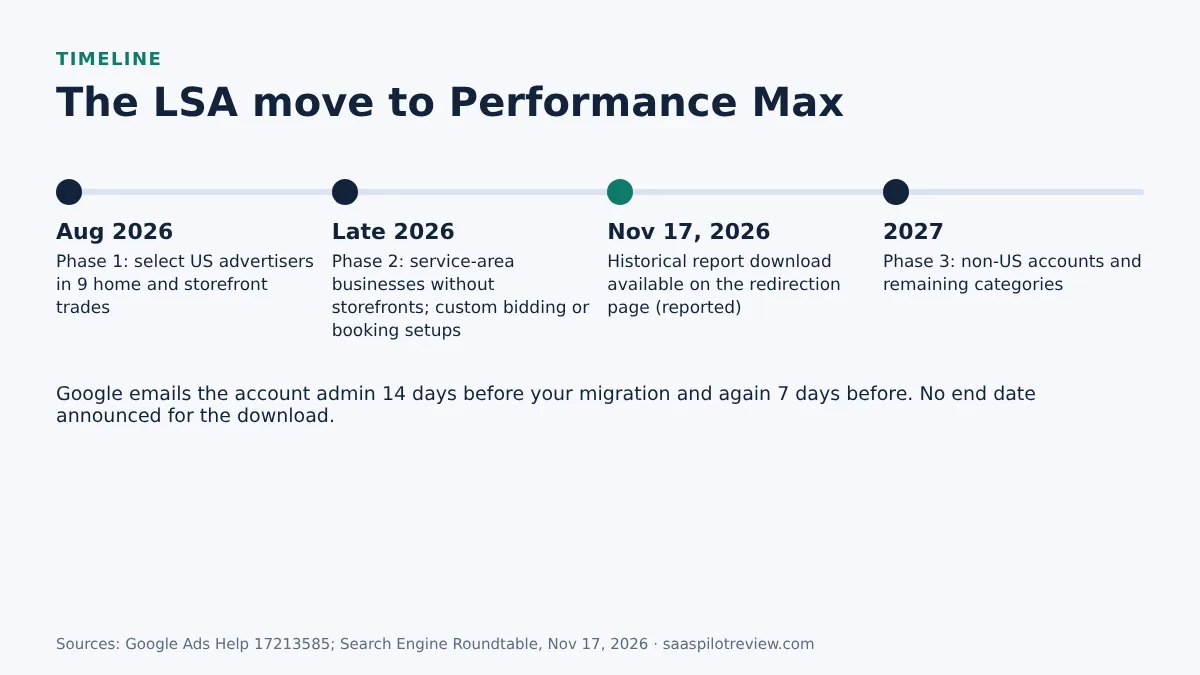
Which steps apply depends on whether Google has already moved your account. Google emails the account administrator 14 days before migration, shows banners in the dashboard, and sends a final reminder 7 days before, according to the transition help page.
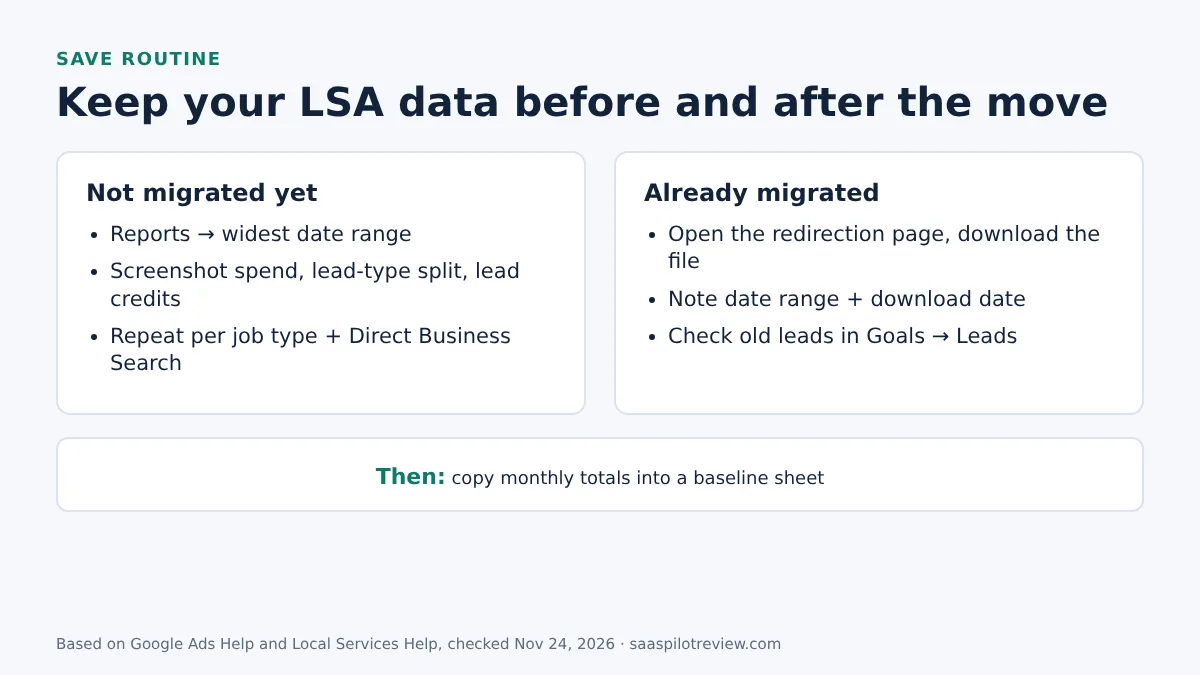
- Not migrated yet: open the old dashboard, go to Reports, set the widest date range it allows and screenshot the summary, the lead-type split and the lead credits line. The legacy help page says report data is available from October 1, 2017 onward.
- Several job types: repeat the screenshot with each category filter, and once with Direct Business Search, so you know which trades paid for themselves.
- Already migrated: open the redirection page, download the historical reports and save the file somewhere outside Google (your accounting folder or shared drive).
- Write down the date range the file covers and the date you downloaded it. Google does not say how long the download stays available.
- Check the Leads page in Google Ads (Goals, then Leads) and open two or three old leads to confirm the contact details and call recordings came across.
- Move the totals into a baseline sheet, as in the next section, before you forget which months were affected by holidays or slow seasons.
Turn the download into a before-and-after baseline
The file is only useful if you compare it with the new campaign. Under Performance Max with pay-per-lead goals, Google turns your weekly LSA budget into a daily budget (weekly budget divided by 7) and caps monthly spend at the daily budget times 30.4, and manual bidding, including a maximum cost per lead, is no longer supported. Those changes can move your cost per lead even if nothing else changes.
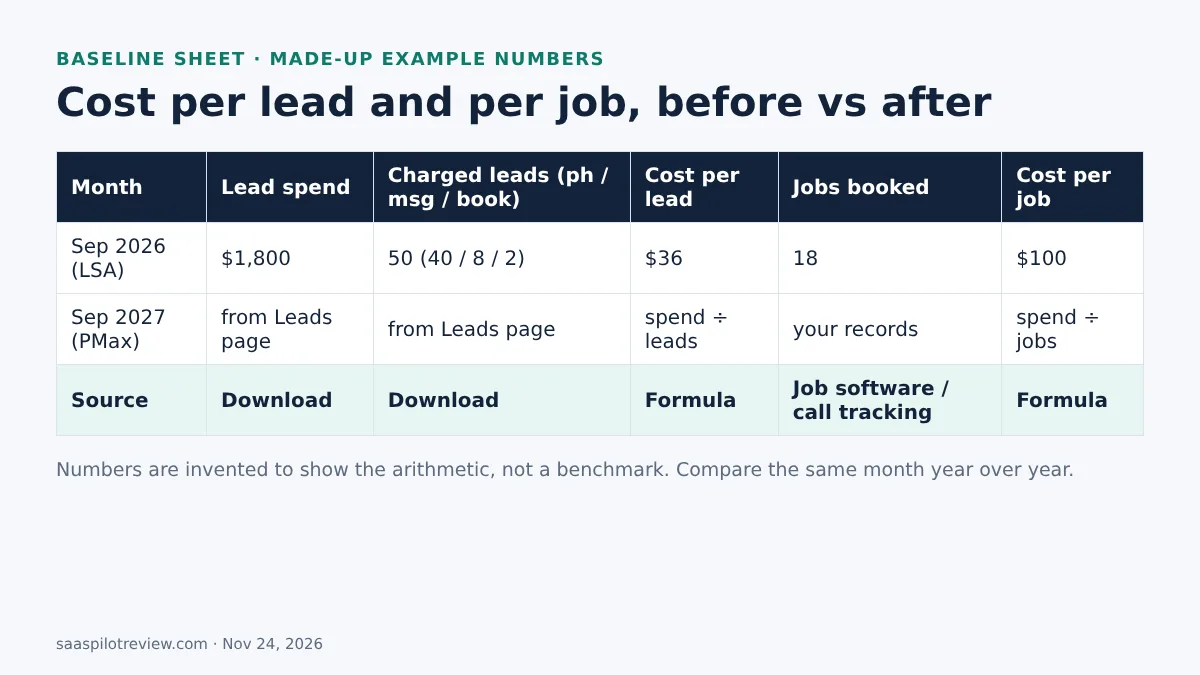
A simple sheet with one row per month is enough. Cost per lead is lead spend divided by charged leads; the share of each lead type tells you whether you are now paying for more phone calls and fewer messages, which matters now that Google charges for some calls you did not answer (see the rules in our missed-call article linked above).
| Column | Where it comes from | Example (made-up numbers) |
|---|---|---|
| Month | You | September 2026 |
| Total lead spend | Historical download | $1,800 |
| Charged leads: phone / message / booking | Historical download | 40 / 8 / 2 |
| Cost per charged lead | Spend ÷ total charged leads | $1,800 ÷ 50 = $36 |
| Jobs booked from those leads | Your job software or call tracking | 18 |
| Cost per booked job | Spend ÷ jobs booked | $1,800 ÷ 18 = $100 |
The example numbers are invented to show the arithmetic; they are not from a real account or a Google benchmark. Fill in the same columns for each month after migration from the Google Ads Leads page and your own records, and compare like with like: September against September, not a busy month against a slow one.
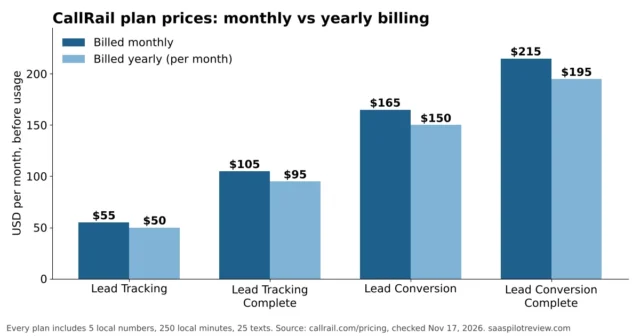
The last two rows are the ones Google’s file cannot give you. If your job software already tags the lead source, you have them. If it does not, a call tracking number on the lead-routing line closes the gap; our CallRail pricing breakdown shows what that costs at small-business volume, and the LSA-to-GoHighLevel setup covers sending leads into a CRM automatically.
Disputes, badges and other things that changed with the move
Three changes on the same help page affect how you read old and new numbers side by side:
- No more manual lead disputes. The transition page says “Manual lead disputes are no longer supported” and links to a separate page on lead quality. The old Reports screen showed the lead credits you received in each period; keep that screenshot, because you will not be able to dispute leads the old way in new months.
- The Leads page moved. Leads now sit under the Goals menu in Google Ads, not in the old LSA inbox.
- Verification carries over. Google says verified status and the Google Verified badge transfer automatically, and insurance and license re-verification is no longer required. BBB callouts are no longer supported.
What Google has not said
As of November 24, 2026, the help pages we read leave several practical questions open:
- No end date. Google does not say how long the redirection page or the download will stay available. Download early rather than waiting.
- Mixed wording. The same help page still also says a dedicated download page will be available, next to the line saying you can download the reports on the redirection page. Search Engine Roundtable reports the download is live; if you do not see it yet, check again later.
- No file details. The pages do not state the file format, the date range covered, or whether you get one file per business or per account.
- Agencies and managers. The legacy help page says the Local Services API lets manager (MCC) accounts pull reporting data for all managed accounts, but the transition page does not say whether the download works from a manager account. Agencies should check each client account.
- Which accounts move when. Google lists three phases: August 2026 for select US advertisers in nine home and storefront trades (plumbing, HVAC, electrical, appliance repair, house cleaning, lawn care, roofing, pest control, moving), late 2026 for service-area businesses without storefronts and accounts with custom bidding or booking setups, and 2027 for non-US accounts and remaining categories. Your own date comes in the 14-day email.
If you open the file and find more (or less) than Google describes, the safest record is still your own: the download, a few dated screenshots, and the baseline sheet above.
Sources
- Search Engine Roundtable, Google Local Services Ads historical reports available for download, November 17, 2026.
- Google Ads Help, Local Services Ads transition to Performance Max campaigns with pay-per-lead goals, read November 24, 2026.
- Google Local Services Help, View reports on Local Services Ads, read November 24, 2026.
- Google Ads Help, About pay-per-lead goals for Performance Max campaigns, read November 24, 2026.
More on lead tracking and call costs: Call tracking and lead generation.