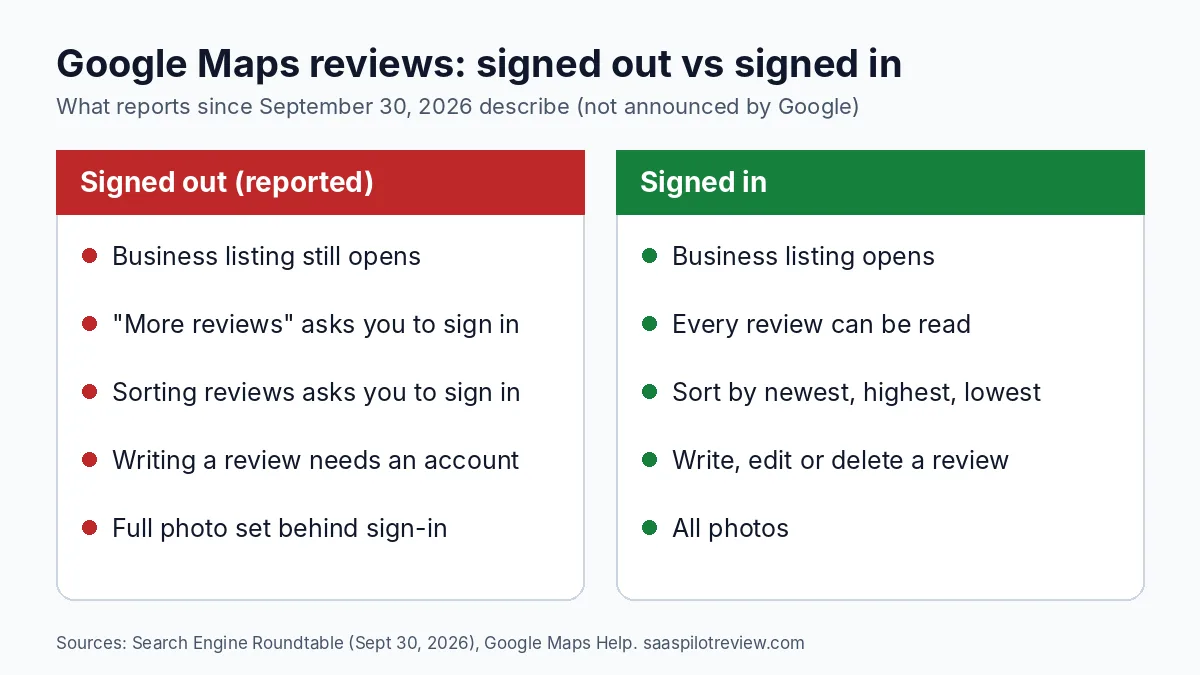
November 5, 2026 · What changed: since late September 2026, people who are not signed in to a Google account report a sign-in prompt on Google Maps when they try to read more of a business’s reviews or sort them. Google has not announced the change or updated a help page about it that we could find.
For a plumber, roofer or cleaning company, this matters for one simple reason: a lot of shoppers read your reviews before they call, and some of them are not signed in. Think of a homeowner checking two HVAC companies on a work laptop, in a private browser tab, or on an iPhone where they never signed in to Google. If they hit a sign-in wall on your profile, the reviews you worked to collect may not get read at all.
How we wrote this: researched from trade press reports and Google’s own help pages, read on November 5, 2026. We have not measured how many shoppers this affects, and the details below are reported by users rather than confirmed by Google. Our research and testing method explains how we work.
What signed-out visitors now see on Google Maps
A signed-out visitor can still open your listing, but clicking to see more reviews or to sort them brings up a prompt to sign in. Search Engine Roundtable reported it on September 30, 2026, crediting several local SEO practitioners who spotted it. The prompt pitches sign-in as the way to read and search through every review and photo, alongside saved places and travel times.
Three things are still unclear, so treat any confident claim about them with care:
- How many reviews stay visible. The reports describe the prompt appearing on “more reviews” and sorting, which suggests the first few reviews still show. Nobody has published a firm number.
- Whether every visitor gets it. Google often tests changes on a share of users first. Your customers may see different versions.
- Why Google did it. Search Engine Roundtable’s editor guessed it is meant to slow down scrapers, bots and AI tools that copy review text. That is his reading, not a Google statement.
Google tried this once before, in February
This is the second time in 2026. On February 18, Android Authority reported that signed-out users saw a “limited view” of places, with a single photo and no reviews. By February 23 the same report was updated: reviews and photos were back for signed-out users, and Google never explained the change publicly.
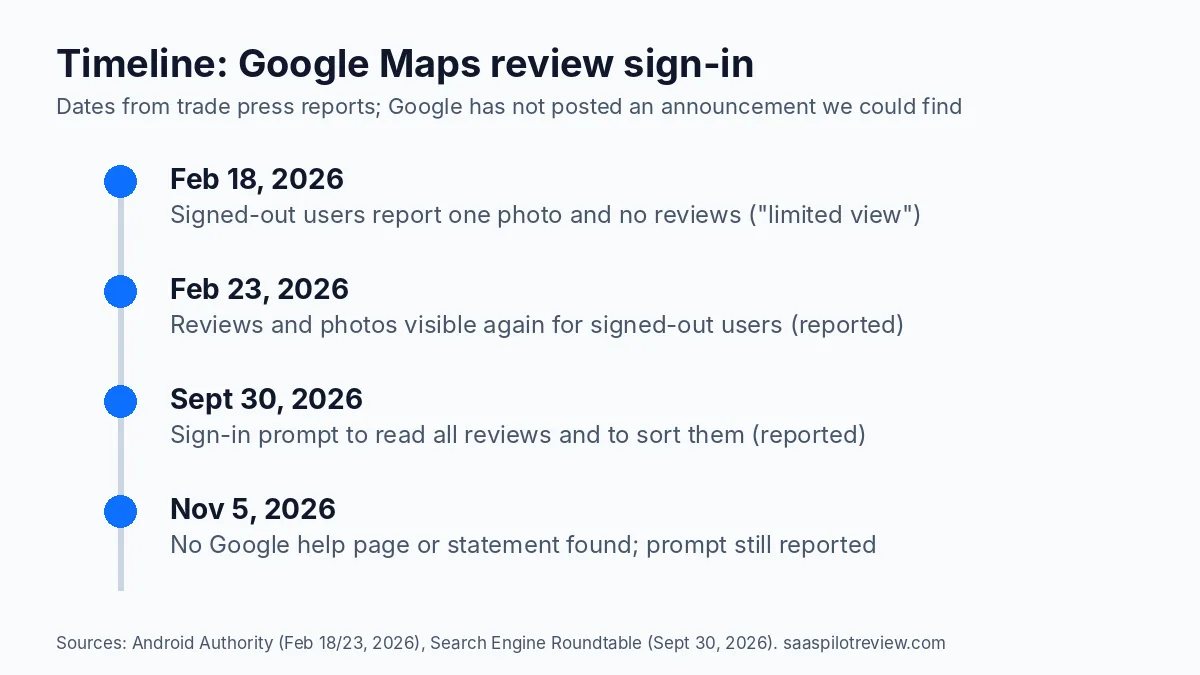
The February version was rolled back in five days. The September version has now been reported for more than a month. That does not prove it is permanent, but it is long enough that we would plan around it rather than wait for it to go away.
What does not change for your business
Most of your review routine stays the same. Here is what the reports and Google’s help pages show:
| Question | Answer | Where this comes from |
|---|---|---|
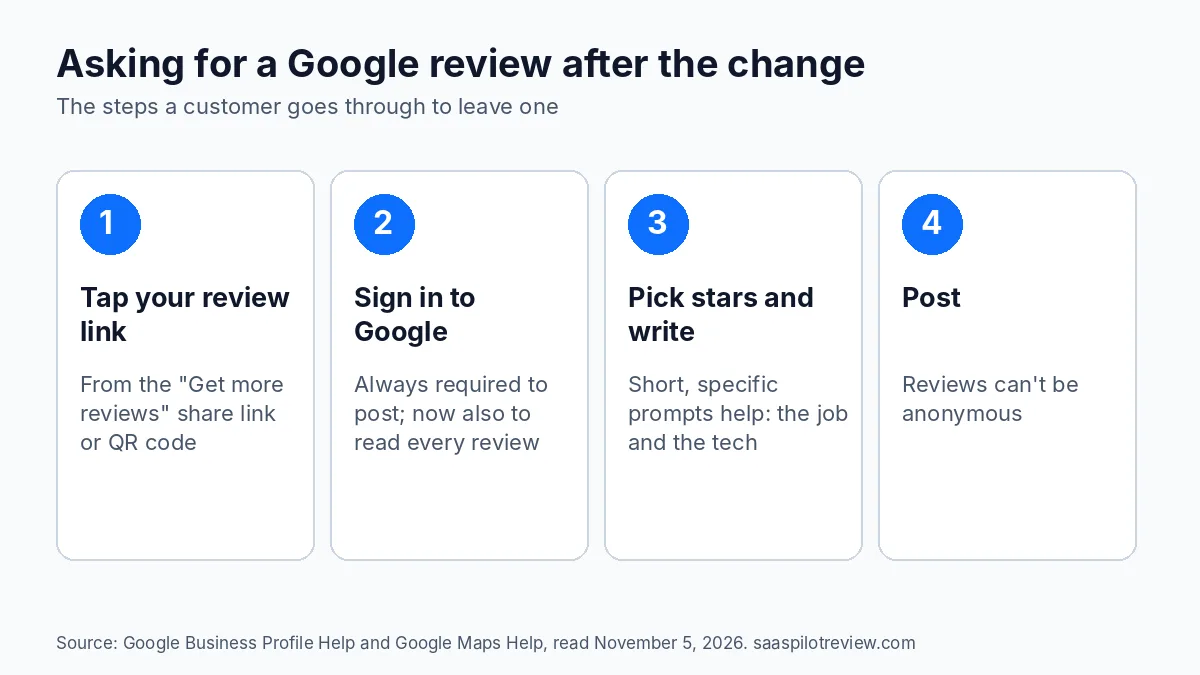
| Do customers need an account to leave a review? | Yes, and they always did. Google’s help page starts with signing in and says you can’t add an anonymous review. | Google Maps Help |
| Does your review link or QR code still work? | Yes. You still create it from your Business Profile under Read reviews, then Get more reviews, on a computer. | Business Profile Help |
| Can you reward customers for reviews to make up for it? | No. Discounts or gifts in exchange for reviews are banned as fake engagement. | Business Profile Help (same page) |
| Is your star rating hidden? | No report says so. The prompt is about reading and sorting the full list. | Search Engine Roundtable |
| Does this affect the business panel in Google Search? | Reports focus on Google Maps. We have not confirmed any change in Search. | Our reading of the reports |
So the change mostly hits the reader, not the reviewer. The customers you ask for reviews were always going to sign in. The shoppers comparing you with a competitor are the ones who may now stop at the prompt.
Your own website now does more of the work
A review widget on your website shows your Google reviews to every visitor, signed in or not. Before this change it was a nice extra. Now it may be the only place a signed-out shopper reads more than a handful of your reviews.
Two things to know before you pick one:
- Free and cheap widgets often show only a few reviews. Google’s own Places API returns up to five reviews per place, so tools built only on it hit that ceiling. Check how many reviews a widget can show, and how often it refreshes, before you pay. Our Trustindex vs Elfsight comparison covers refresh times and plan limits, and EmbedSocial vs Elfsight covers view caps that can switch a widget off.
- Do not expect stars in Google from your own page. Google says pages with LocalBusiness or Organization markup are not eligible for review stars when the business controls the reviews about itself. The widget is for the people on the page, not for rich results.
If your site runs on Squarespace’s cheapest plan, check our guide on adding Google reviews to Squarespace first, because that plan blocks the scripts most widgets need. If you use Jobber’s website builder and the reviews block looks stuck, this fix for Jobber’s Google reviews block walks through the usual causes.
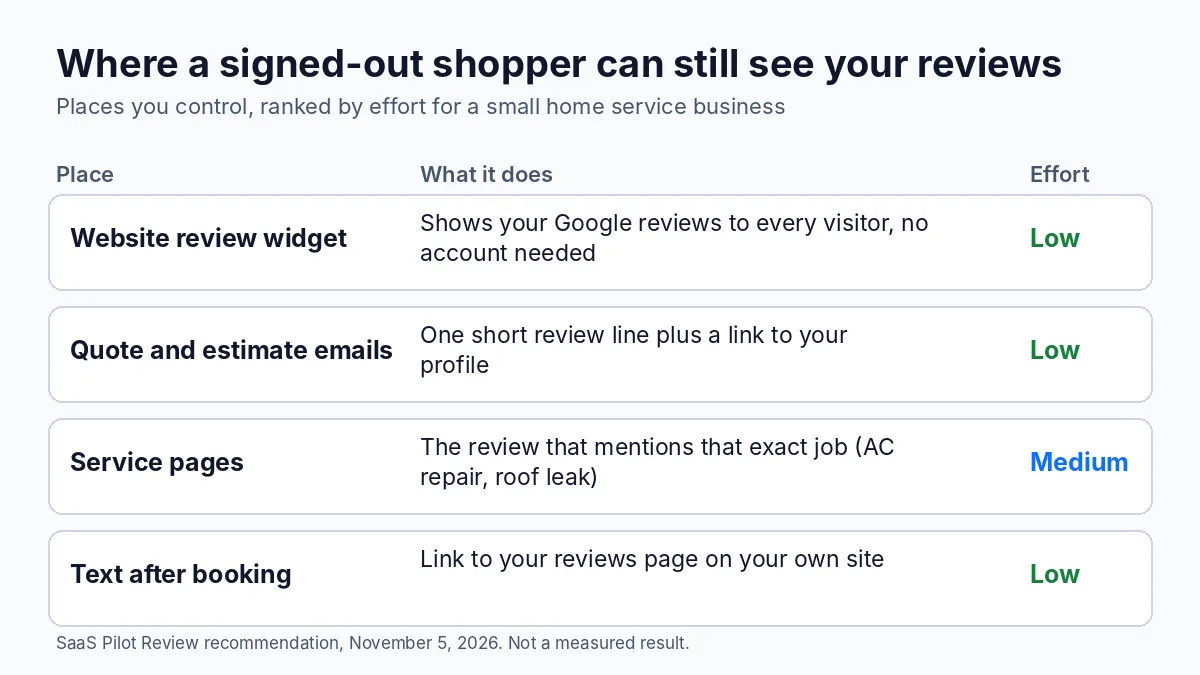
Put your best review where the shopper already is
Beyond the widget, a few low-effort moves put proof in front of signed-out shoppers:
- Quote one review on each service page. The AC repair page gets the review that mentions an AC repair. A specific review beats a generic five-star badge.
- Add a short review line to quotes and estimates. One sentence, the reviewer’s first name and the job, plus a link to your full profile for anyone who wants to read more.
- Link to your own reviews page in booking texts, not only to Google Maps. That page loads for everyone.
- Answer your recent reviews. Shoppers who sort by newest see your replies right under the latest reviews. If you want help drafting replies, our piece on Gemini review replies in Business Profile covers what Google’s AI drafts and where it falls short.
Keep asking for reviews the same way, with one tweak
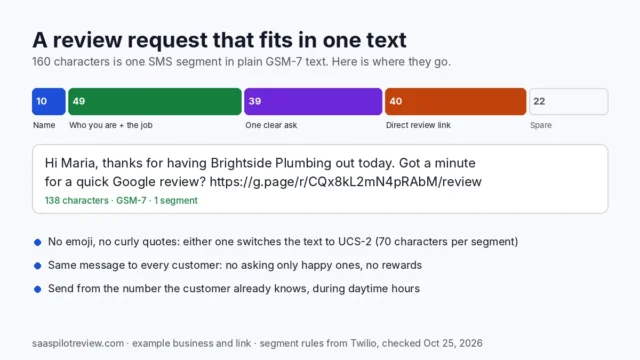
Your review requests do not need a rewrite. Customers who tap your link have to be signed in to post, which was already true. The tweak: say it up front in the message, so nobody is surprised by a login screen. A line like “It takes a minute on your Google account” sets the expectation without sounding pushy.
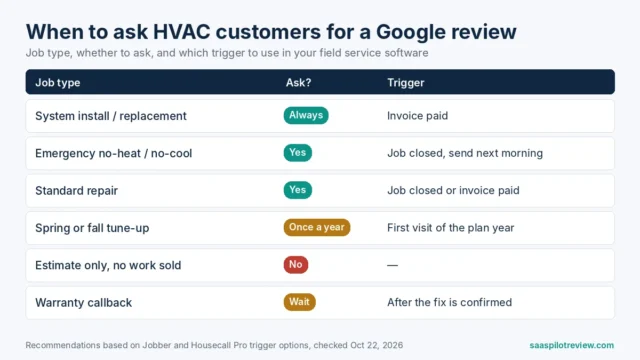
For wording, our review request text templates count characters so each text stays in one SMS segment, and our guide to getting more Google reviews for an HVAC company covers timing by job type. If you send requests through software, our roundup of review management software for small businesses compares the tools that automate it.
How to check what your own customers see
Open your listing in a private or incognito window, signed out, on a computer and on a phone. Click to see more reviews and try sorting. Write down what you see and the date. Do it again next month. Because Google tests changes on some users first, your result may differ from the reports, and that is the only version that matters for your shoppers.
We will update this page if Google publishes a help article or statement, or if the prompt goes away again.
Do customers need a Google account to read my reviews now?
To read all of them on Google Maps, reports say yes. A signed-out visitor still sees your listing and, from what has been reported, some reviews before the prompt appears.
Did Google announce this?
Not that we could find as of November 5, 2026. The details come from users and trade press.
Should I stop sending people to Google Maps?
No. Keep collecting reviews on Google, since that is where they count for your profile. Just make sure shoppers can also read them on your own website.
Sources: Search Engine Roundtable, September 30, 2026 · Android Authority, February 18 and 23, 2026 · Google Maps Help: add, edit or delete reviews · Business Profile Help: review link or QR code · Places API: Place Details · Google Search Central: review snippet guidelines. Read November 5, 2026. Browse more in reviews and reputation.