HVAC is a trade where the customer usually remembers the moment you fixed it: heat back on at 11 PM, the first cold air after a week of 90-degree days. That moment is when a review request works, and most shops miss it because the ask depends on a tech remembering to bring it up on the way out. The fix is less about clever wording and more about plumbing: one correct Google link, sent automatically after the right kind of job, to every customer.
This guide is research, not a test: we have not run review requests for an HVAC company of our own. It is built from Google’s own help and policy pages, the FTC’s review rule, and the help docs of the field service tools most small HVAC shops already use, all checked on October 22, 2026. If you are still choosing a tool to send requests, our comparison of review request tools for small service businesses covers the options and prices.
Which HVAC jobs to ask after, and when
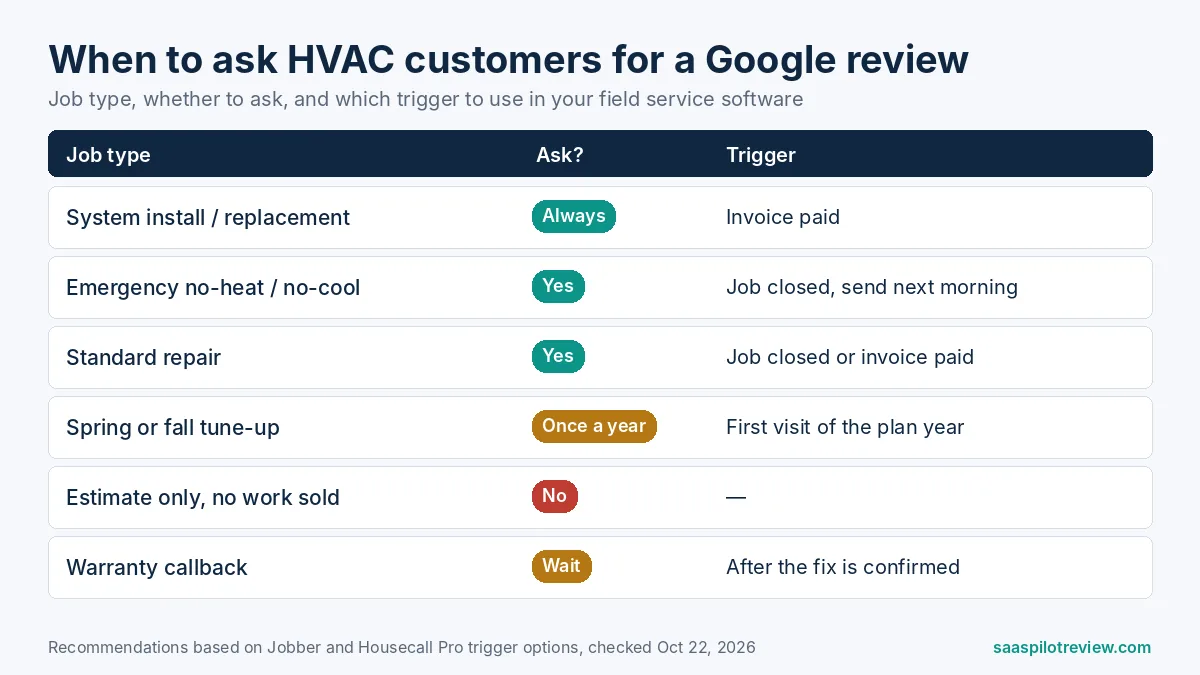
Ask after the jobs where the customer can see the result, and send the request when the work is closed or paid, not when the truck leaves. An install or a no-heat repair produces a clear before and after; a routine filter change rarely does. The table below is how we would set the triggers for a typical 3 to 10 tech residential shop. For wording you can copy, see our review request text templates.
| Job type | Ask? | Best trigger | Why |
|---|---|---|---|
| New system install or replacement | Yes, always | Invoice paid | Biggest ticket and the customer has just compared quotes; waiting for payment avoids asking someone still disputing the bill |
| Emergency no-heat or no-cool repair | Yes | Job closed, sent next morning | Strong relief moment, but these calls often finish late at night; a 9 AM email or text reads better than one at midnight |
| Standard repair | Yes | Job closed or invoice paid | Clear outcome the customer can describe |
| Spring or fall tune-up | Once a year at most | First visit of the plan year | Low drama, so fewer reviews per request; asking at every visit wears out maintenance members |
| Estimate only, no work sold | No | None | No service experience to review yet |
| Warranty callback | Wait | After the second visit is closed | Ask once the problem is truly fixed |
Our recommendations from the trigger options in Jobber and Housecall Pro help docs, checked October 22, 2026.
The one rule that overrides the table: whatever job types you choose, ask every customer on them. Picking only the customers who seemed happy is the practice Google’s policy names directly, covered in the rules section below.
Step 1: get your direct Google review link
Google now builds the link and a QR code for you. According to Google’s help page on review links and QR codes, you open your Business Profile on a computer, go to Read reviews, choose Get more reviews, then copy the link or save the QR code. The QR code can only be generated in a computer browser, not on a phone, so do this once at the office and save both.
Put the link in three places: the automated request your software sends, the bottom of every invoice email, and a leave-behind card or magnet with the QR code for the customer who would rather scan than tap a text.
Step 2: let your field service software send it
If you already run Jobber or Housecall Pro, you probably already pay for, or can switch on, automated review requests. Each has one default worth changing for an HVAC shop.
Jobber. The Jobber Reviews help article says the feature is part of Jobber’s Marketing Suite and can trigger when a job closes, a visit is completed or an invoice is paid. It sends by email, text or both, follows up twice if the client does not click (3 days and 5 days later, at 1:30 PM local time), and sends only one request per client every 6 months, even on recurring jobs. For an HVAC maintenance plan with spring and fall visits, that cap means one ask per member per half year at most, which is about right. Two details matter for emergency calls: if a job closes between 9 PM and 9 AM, the first request goes by email only, and the text template cannot be edited unless you have a dedicated phone number. Our breakdown of what Jobber and its add-ons cost shows where Marketing Suite fits in the bill.
Housecall Pro. The Housecall Pro Reviews app article says requests go out automatically when a job is completed, or after the job is finished and paid if you change the trigger. The default that surprises people: customers with a Gmail address are sent to Google, while everyone else is split between your Facebook page and your Housecall Pro website. If Google reviews are the goal, open Edit distribution and set Google to 100%. The same article notes that replying to reviews inside Housecall Pro is a Premium feature.
A separate review tool. If your job software does not send requests, or you want referral and repeat-customer campaigns too, a dedicated tool fills the gap. On its pricing page, NiceJob lists Starter at $75 a month with review requests and follow-ups by text and email, and Pro at $125 a month with referrals, broadcasts and AI replies, plus a 14-day free trial and no contract. Its page names a Jobber integration; check the app marketplace for your own software before you sign up.
What to say in the request
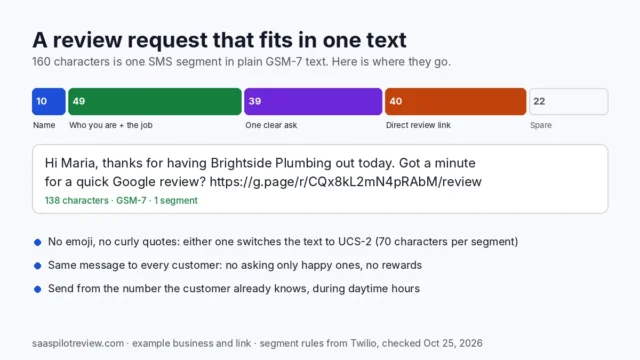
Name the tech, name the job, and put the link last. A request that sounds like the person who was in the attic gets more clicks than a generic thank-you. Three versions you can paste into your software and edit:
Text after a repair: “Hi {first name}, it’s {company}. Thanks for having {tech name} out today to get your {heat/AC} running again. If you have a minute, a quick Google review helps other homeowners in {town} find us: {link}”
Email after an install: Subject: “How is the new system, {first name}?” Body: “Thanks for choosing {company} for your new {system}. If {tech name} and the crew did right by you, would you share a few words on Google? It takes about a minute: {link}. If anything is not right, reply to this email and we will come back out.”
Leave-behind card: “Was {company} on time and clear about the price? Tell your neighbors. Scan to review us on Google.” Plus the QR code.
The email version invites problems back to you, which is fine; it must not route unhappy customers away from Google. Offering a fix and asking for a review are two separate messages to the same customer, and the review link stays in both cases.
The rules that can cost you reviews, or a fine
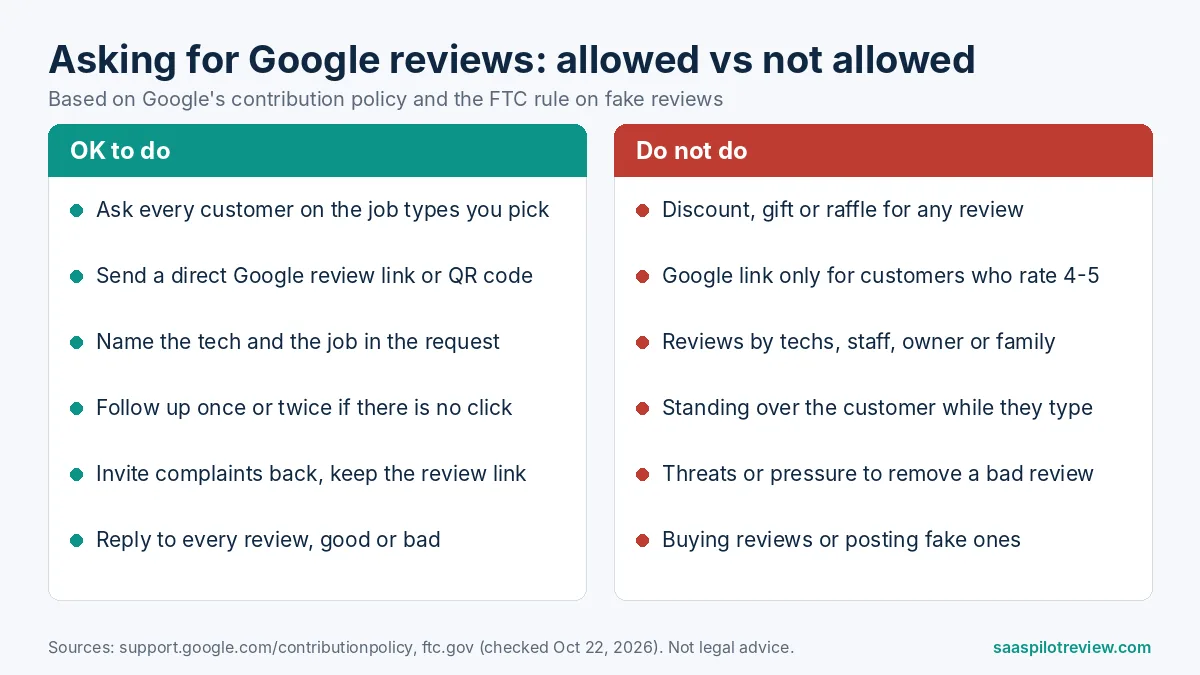
Two rulebooks apply, and both are short enough to follow without a lawyer. Google’s prohibited and restricted content policy lists, under rating manipulation, discouraging or prohibiting negative reviews and selectively soliciting positive reviews from customers. Under fake engagement it bans incentives such as payment, discounts or free services in exchange for posting any review. Google’s review link page repeats that rewards for reviews are strictly prohibited. The policy also lists conflict-of-interest content, including reviews from current or former employees, and says merchants should not require or pressure users to leave reviews while on the premises.
The FTC’s final rule on fake reviews adds legal weight in the US. It bans fake reviews, incentives conditioned on a positive or negative review, reviews from officers or managers, undisclosed reviews from insiders, and suppressing negative reviews through threats or intimidation, and it lets the FTC seek civil penalties against knowing violators.
In practice for an HVAC shop, that means:
- No “$25 off your next tune-up for a 5-star review”, and no raffle entry for reviewing at all, because Google bans incentives for any review.
- No “rate us 1 to 5 first, and only 4s and 5s get the Google link” flow.
- No reviews from techs, office staff, the owner’s family or the owner.
- No tech handing a tablet to the customer and waiting in the kitchen while they type.
- Neither page we read addresses paying techs a bonus for reviews that mention them by name; if you do it, make sure the bonus never turns into pressure on the customer.
How many reviews a month should you expect?
It depends almost entirely on how many customers you actually ask. We do not have a response-rate figure we trust for HVAC requests, so the table below shows the math at three rates instead of pretending to know one. Use your own numbers after the first 60 days.
| Shop | Eligible jobs a month | Share asked | Reviews at 5% response | at 10% | at 20% |
|---|---|---|---|---|---|
| 2 techs, techs ask when they remember | 60 | 30% | about 1 | about 2 | about 4 |
| 2 techs, automated request on every job | 60 | 100% | 3 | 6 | 12 |
| 6 techs, automated request on every job | 180 | 100% | 9 | 18 | 36 |
Our math: eligible jobs × share asked × response rate, rounded. The response rates are scenarios, not survey figures.

The jump from the first row to the second is the whole argument for automation: the same shop, the same customers, roughly three times the reviews, without a better script. Recency counts too. PinMeTo’s summary of BrightLocal’s 2026 consumer survey reports that 74% of consumers look for reviews from the last three months, so a steady few a week beats a burst after a promotion and then silence through the shoulder season.
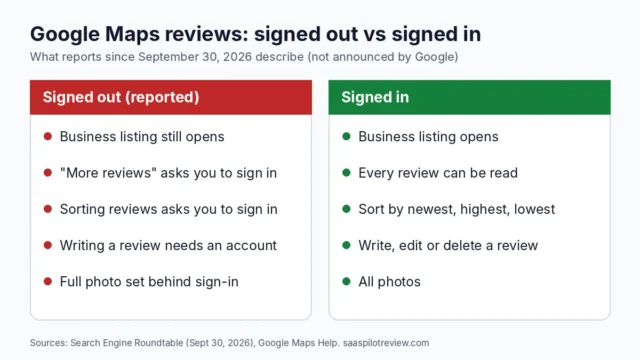
Reviews also matter less if customers cannot read them: Google Maps now asks some people to sign in to read reviews, so your newest few count for more.
Answer every review, including the bad ones
A reply shows the next homeowner how you handle a problem, which matters more in HVAC than in most trades because people pick a contractor partly on how a failure would be handled. Thank happy customers by name and mention the job; answer complaints with what you did or will do, then take the details offline. If replies are piling up, here is how to use Gemini to draft your Google review replies before you edit and post them yourself. And if your website shows a Google reviews block from Jobber that stopped updating, see why Jobber’s Google reviews block shows old reviews.
How we researched this
We read Google’s Business Profile help and contribution policy, the FTC’s announcement of its review rule, and the review request documentation for Jobber, Housecall Pro and NiceJob, all on October 22, 2026. We have not sent review requests for an HVAC business ourselves, so the timing table and the request templates are our recommendations, not measured results. Our how we test page explains our research and testing process, and more guides like this one are on our reviews and reputation hub.
Prices checked October 22, 2026.
Sources
- Google Business Profile Help: create a link or QR code to request reviews
- Google Maps: prohibited and restricted content
- FTC: final rule banning fake reviews and testimonials
- Jobber Help: Reviews
- Housecall Pro Help: Reviews app
- NiceJob pricing
- PinMeTo: BrightLocal Local Consumer Review Survey 2026 summary