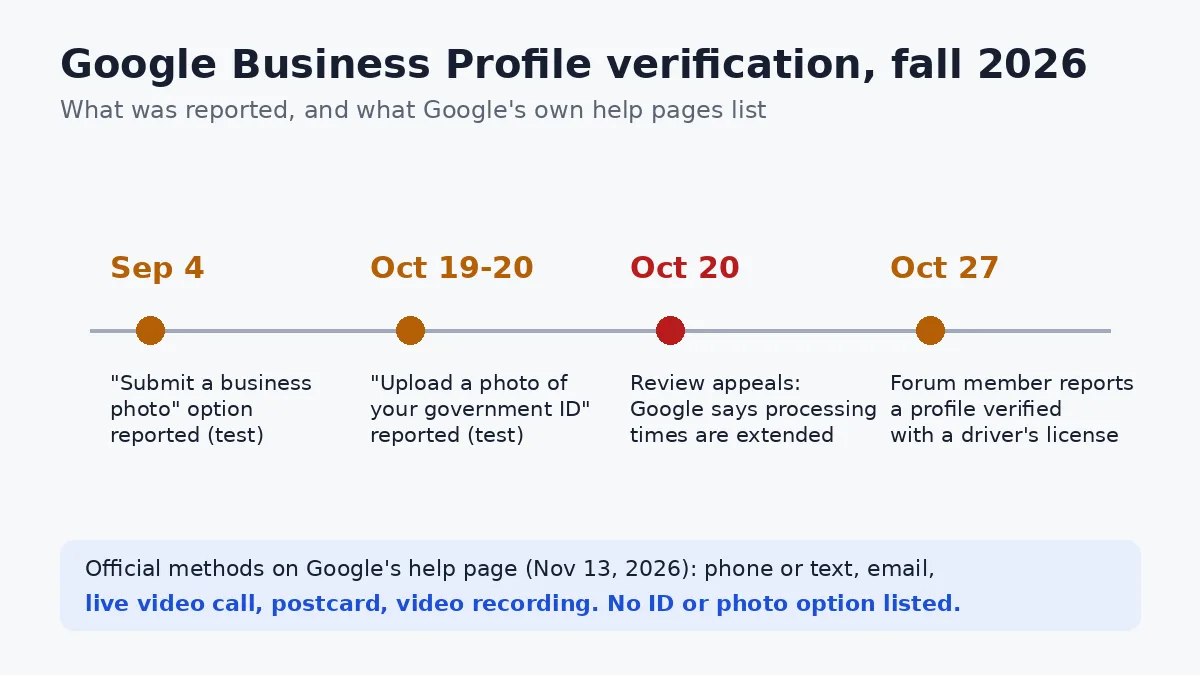
October 20, 2026: Google was reported testing a new Google Business Profile verification step that asks owners to upload a photo of a government ID. It is not on Google’s help pages yet. The screen, first spotted by a Local Search Forum member and covered by Search Engine Roundtable, reads “Submit an Identity Verification” and “Upload a photo of your government ID,” and promises the ID “won’t be shown publicly.” It follows a September test of a “Submit a business photo” option. For a plumber, cleaner or roofer who works from a truck rather than a storefront, the ID route could matter more than the photo one. This page covers what has been confirmed, what is still only reported, and what to prepare, especially if your GBP video verification failed and you are waiting for another way in.
How we put this together: researched from Google Business Profile Help (“Verify your business on Google” and “Verify your business with a video recording”), Search Engine Roundtable’s reports of September 4 and October 20, 2026, the Local Search Forum thread on ID verification and Sterling Sky’s Google local changes log, all read on November 13, 2026. Researched from vendor pages, not hands-on tested: we have not seen the ID screen on a profile we manage. See our research and testing methods.
What the government ID screen shows
The reported Google Business Profile ID verification screen asks for one thing: a photo of a government-issued ID. According to Search Engine Roundtable’s October 20 report, the prompt has three lines of text:
- “Submit an Identity Verification”
- “Upload a photo of your government ID”
- “Your ID is only used for verification and won’t be shown publicly”
The forum member who spotted it said he had first seen it about two weeks earlier. A week later, in the Local Search Forum thread started on October 27, one member reported verifying a client’s profile with a driver’s license and wrote that the listing “was live on Google in 10 minutes after the verification.” That is one report from one account, not a pattern.
What nobody has published yet: which ID types count, whether a selfie or a video step follows, which countries see it, and whether it is limited to certain business categories. Search Engine Roundtable’s Barry Schwartz floated the idea that it may be tied to Local Services Ads checks for some professions, and labelled that as his own guess. If you run Local Services Ads, the link between the two products is already tight; see our note on LSA and Business Profile phone numbers.
Test or rollout? Where each method stands
Treat ID upload as a test. Google’s “Verify your business on Google” help page lists phone or text, email, live video call, postcard and video recording. It says nothing about government ID or photo verification, and it says Google decides which methods you see: you cannot pick one that is not offered.
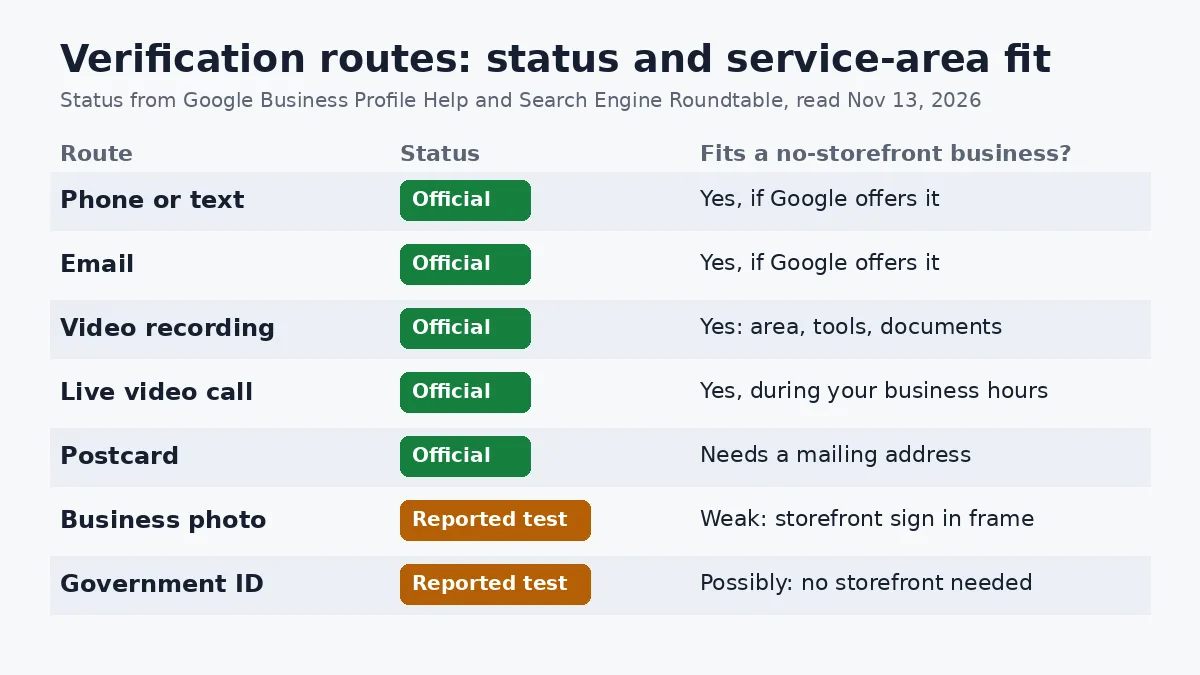
| Route | Status on November 13, 2026 | What it asks for | Service-area business fit |
|---|---|---|---|
| Phone or text | Official (Google Help) | A code by call or SMS; Google notes phone menu (IVR) systems won’t get it | Good if offered; use a line a person answers |
| Official | Follow the steps in Google’s email | Good if offered | |
| Video recording | Official | At least 30 seconds, one unedited take, location plus proof of business and management | Workable: film service area, tools and a business document |
| Live video call | Official | Show location and ownership to a Google rep | Only within your listed business hours |
| Postcard | Official | A 5-digit code by mail; most arrive within 14 days, codes expire after 30 | Needs a mailing address; don’t edit name, address or category while waiting |
| Business photo | Reported test (Sep 4) | Business name on a permanent sign, whole storefront in one frame | Poor: most trades have no storefront |
| Government ID | Reported test (Oct 19–20) | A photo of a government ID | Possibly useful: no storefront needed |
The photo test is worth a note. Search Engine Roundtable reported on September 4 that a “Submit a business photo” option had appeared, with a requirement to show the business name on permanent fixtures such as a signboard and “your entire storefront in a single frame.” That suits a shop. A pest control operator working from home cannot meet it. The ID option, as reported, asks nothing about a building, which is why it caught the attention of people who manage service-area profiles.
Why owners without a storefront should pay attention
For service-area businesses, verification has leaned on video for some time. Google’s video recording help page asks a service-area business to show where it operates (street signs, landmarks), the professional tools or equipment it uses, proof of management, and itself performing a service or accessing business-only assets. It also accepts a “business permit, invoice, or utility bill that matches the name on your Business Profile.” The video must be at least 30 seconds, recorded live in one unedited take, and must not show “Sensitive info like bank account, tax, or ID numbers” or other people’s faces.
That last rule is the practical tension. A one-truck business often has little to film beyond the van and the tools, and the owner’s ID is exactly what the video rules say to keep out of frame. An ID upload, if it rolls out, would let Google check the person behind the profile without asking for a storefront. Until Google documents it, nobody outside Google knows how it is weighed, or whether it replaces or adds to other checks.
What to prepare before Google asks
You cannot request the ID option, so prepare a kit that works for every route you might be offered. Most of it overlaps.
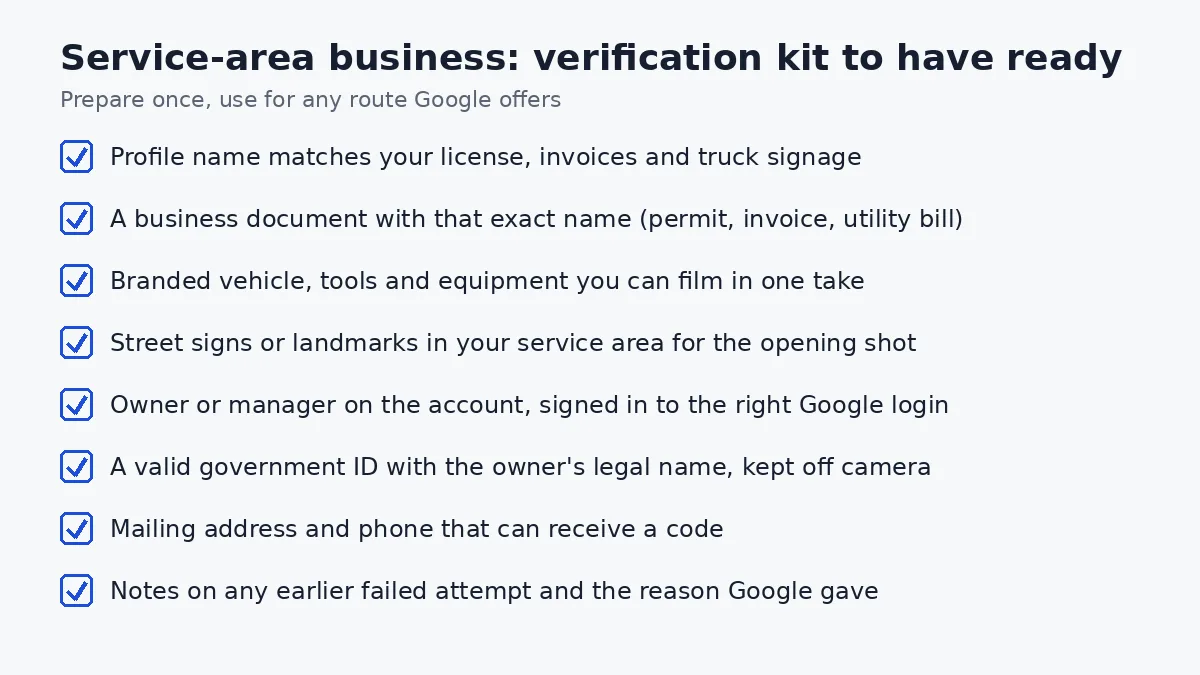
- Make the name match everywhere. The profile name should match your license, invoices, truck signage and website. Google’s video page asks for documents that match “the name on your Business Profile,” and a mismatch is the easiest reason to fail any route.
- Pick the right account. The person verifying should be the owner or a manager signed in to the Google account that owns the profile, not a former employee’s login.
- Keep one business document ready: a permit, a recent invoice or a utility bill in the business name.
- Plan the video shots even if you hope for ID: a street sign in your service area, the branded vehicle, tools you actually use, then the document. One continuous take.
- Have a current government ID in the owner’s legal name. If the business name differs from your personal name, keep the paperwork that ties the two together (state registration or license).
- Freeze edits. Google’s help page warns that changing name, address or category while a postcard is pending breaks the code. Hold changes until you are verified.
One safety point that is our advice, not Google’s: only upload an ID inside the Business Profile flow while signed in to your own Google account. Never send ID photos to someone who emails or calls claiming to be from Google. Some owners were surprised this year by a real in-product request for an EIN to turn on messaging; our explainer on Google asking for your EIN covers how to tell a real in-product prompt from a fake.
If your video verification already failed
Start with the reason Google gave. When a video verification is “Not successful,” Google says it shares the reasons; you tap “Review issues,” record a new video that includes everything from the first one plus what was missing, and upload it. Reviews take up to 5 business days, and Google says some take longer.
- Fix the cause, then re-shoot. Our guide to failed video verification maps common rejection reasons to fixes and plans a re-shoot that covers location, tools and management in one take.
- Check the “Get verified” screen again. Google’s help page says that if the button reappears, Google “couldn’t completely verify your business,” and you can retry or try other methods shown. That screen is where a new option, ID or otherwise, would appear. There is no setting to request it.
- Do not create a second profile to get a fresh set of options. A duplicate adds a new problem without solving the first.
- Contact support if you run out of options, as Google’s help page directs, and keep notes and dates of each attempt so the case is easy to follow.
Review appeals are slower too
The same week, Google said review-related appeals are backed up. According to Search Engine Roundtable, Google’s Dan Boguslavsky wrote in the help community that “Due to high volume of review related appeals, processing times are currently extended,” that Google “cannot provide a specific response timeframe for pending cases,” and advised: “Do not create a duplicate appeal.” Sterling Sky’s log lists it as appeals “delayed again,” not as a shutdown.
Taken together, plan for slow answers from Google this season. Keep the profile tidy while you wait: watch for public edits to your hours, phone or category, which our piece on GBP suggested edits covers, so a verified profile stays accurate.
What we are watching next
- Whether Google adds ID or photo verification to its “Verify your business on Google” help page. That would move it from test to official, and we will update this page.
- Which ID types are accepted, and whether a selfie or video step is added.
- Whether the option shows up more for service-area businesses or for categories tied to Local Services Ads.
More profile, ranking and listing guides for service businesses are in our local SEO hub.
Sources
- Sterling Sky, Google local changes log (October 20 entries on ID verification and review appeal delays)
- Search Engine Roundtable, government ID verification test (October 20, 2026)
- Search Engine Roundtable, business photo verification (September 4, 2026)
- Search Engine Roundtable, review appeals delayed (October 20, 2026)
- Local Search Forum, verifying with a government ID (from October 27, 2026)
- Google Business Profile Help, verify your business on Google
- Google Business Profile Help, verify with a video recording
All sources read November 13, 2026.