You want to know which ads and pages make the phone ring, so a call tracking vendor tells you to paste a script on your site that swaps your number for a tracking number. Then someone in a local SEO group warns that changing your phone number will wreck your rankings. Both are partly right, and the deciding factor is a setting most owners never open: which visitors the script swaps the number for.
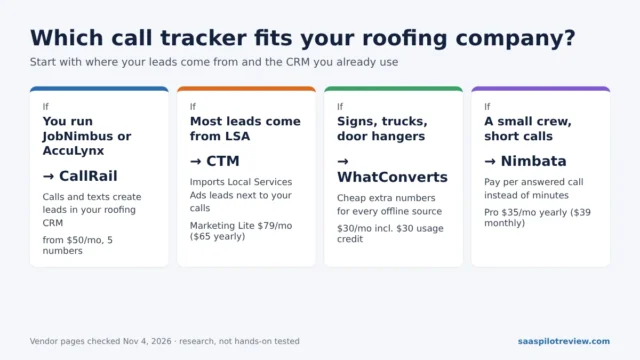
This guide is research, not a test on a live client site. It is built from Google’s Search Central and Business Profile help pages, practitioner write-ups and a public forum case where a tracking number did get picked up by Google, all read on October 26, 2026. If you have not picked a tracking tool yet, our Nimbata vs CallRail comparison covers the two we see most often with small home service teams.
Why the usual “Google only sees your real number” claim is incomplete
Dynamic number insertion (DNI) leaves your real number in the page’s HTML and uses JavaScript to replace it in the visitor’s browser. Call tracking vendors have long argued that this keeps your name, address and phone number (NAP) intact, because search engines read the original number. A 2013 Search Engine Journal piece by a call tracking executive put it bluntly: tracking numbers on directories are bad, DNI on your site is fine.
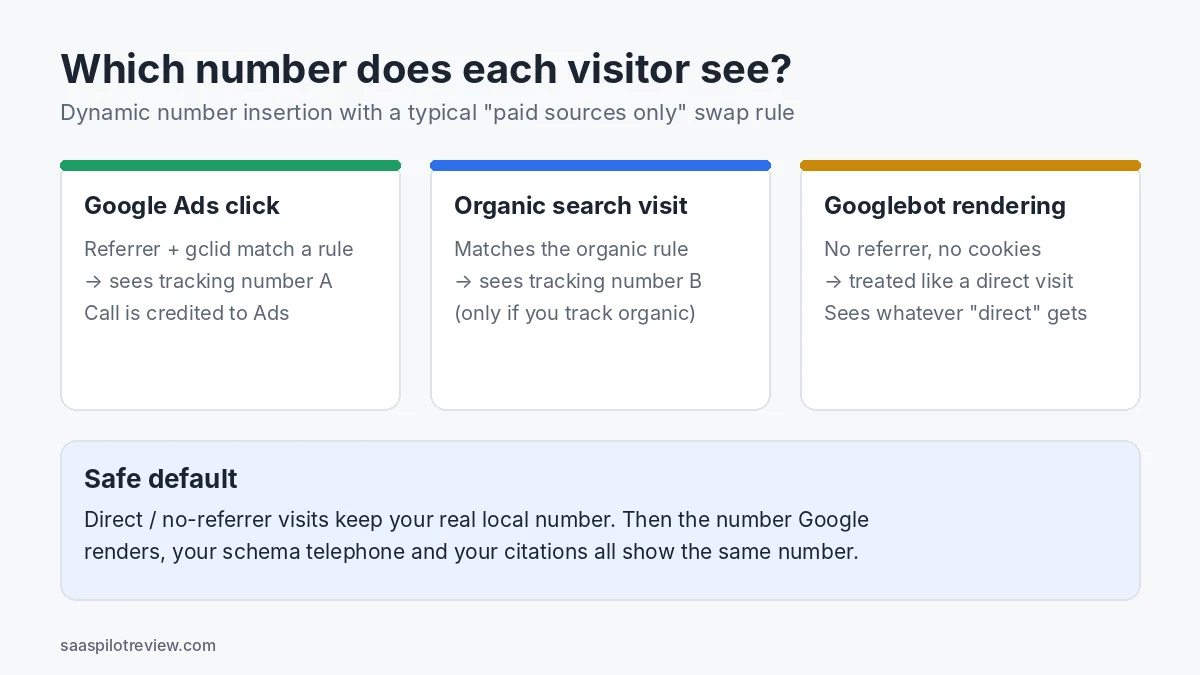
That argument assumed Google reads raw HTML. It no longer does only that. Google’s JavaScript SEO documentation says pages that return a 200 status are queued for rendering, and a headless Chromium browser then runs the page’s JavaScript before Google indexes the rendered HTML. So Googlebot can run your DNI script like any other visitor. Whether it ends up seeing a tracking number depends on the swap rules you set.
Googlebot usually arrives without a referrer, cookies or ad click IDs, so a source-based script most likely files it as a direct visit. If your rules leave direct visits alone, Google renders your real number. If your tool swaps for every visitor, or puts direct traffic into a number pool, Google can render a tracking number instead.
This is not just theory. In an April 2019 Local Search Forum thread, an agency owner reported that Google had cached a client page showing a CallRail tracking number instead of the business number. Replies suggested excluding the real number from swapping, keeping it in the footer to match the schema markup, and checking the rendered page with Search Console. That is one case from 2019, not proof of a ranking drop, but it shows the “Google never sees it” promise depends on configuration.
Placements that are low risk and placements that cause trouble
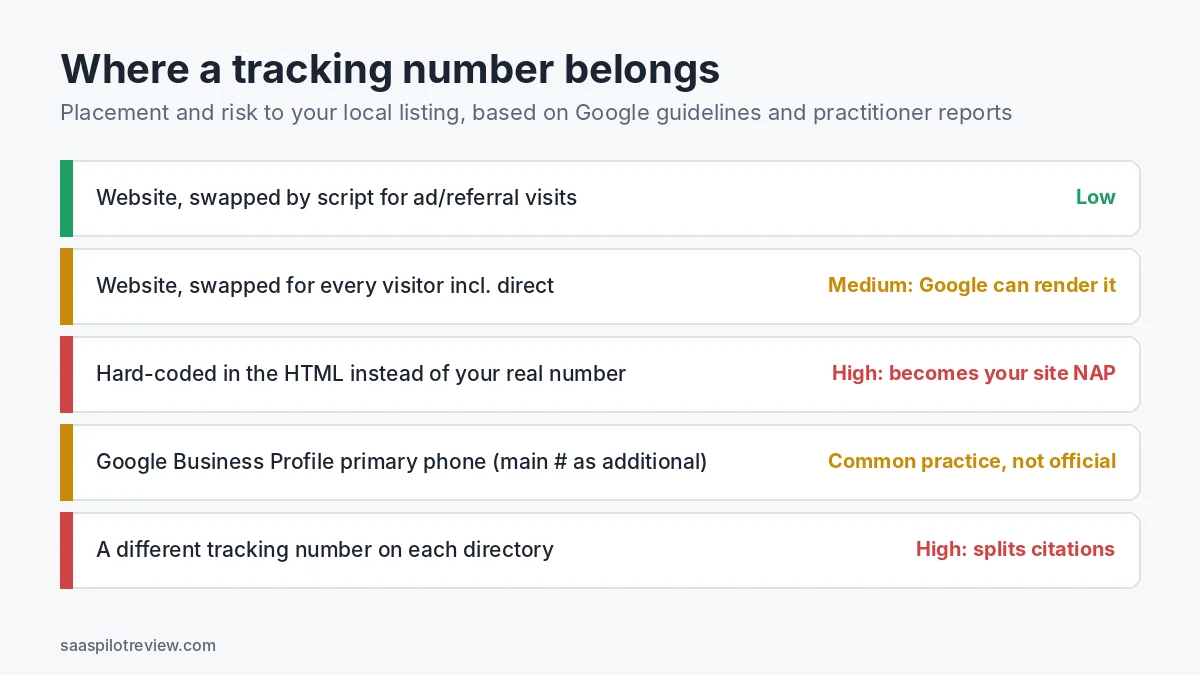
Practitioners mostly agree that the risk comes from where the number lives, not from call tracking itself. A 2020 Sterling Sky post on call tracking myths, written by a team that manages local SEO for many clients, recommends DNI on the website, real local numbers on directories and, at most, tracking numbers on one or two paid directories where you need return-on-investment data.
| Where the tracking number appears | Risk to local SEO | What to do |
|---|---|---|
| Website, swapped by script only for ad, email or referral visits | Low | Keep it. Leave direct visits on your real number. |
| Website, swapped for every visitor including direct | Medium: Google can render the tracking number | Narrow the rules, or exclude the footer number from swapping. |
| Hard-coded in the HTML instead of your real number | High: the tracking number becomes your site’s NAP | Put the real number back in the HTML and let the script swap it. |
Schema markup telephone set to a tracking number |
High: conflicts with your citations | Use the real local number in LocalBusiness schema. |
| Google Business Profile primary phone, main number as an additional phone | Common practice; Google has no written rule | See the Business Profile section below. |
| A different tracking number on each directory | High: splits your citations across numbers | Use your real number on directories. |
One placement people forget: if your tracking tool or listing software syncs your Business Profile number out to directories, a tracking number on the profile can spread to every citation. In the comments of the Sterling Sky post, Joy Hawkins advised disconnecting that kind of sync and keeping the normal number on directories.
How to check which number Googlebot actually renders
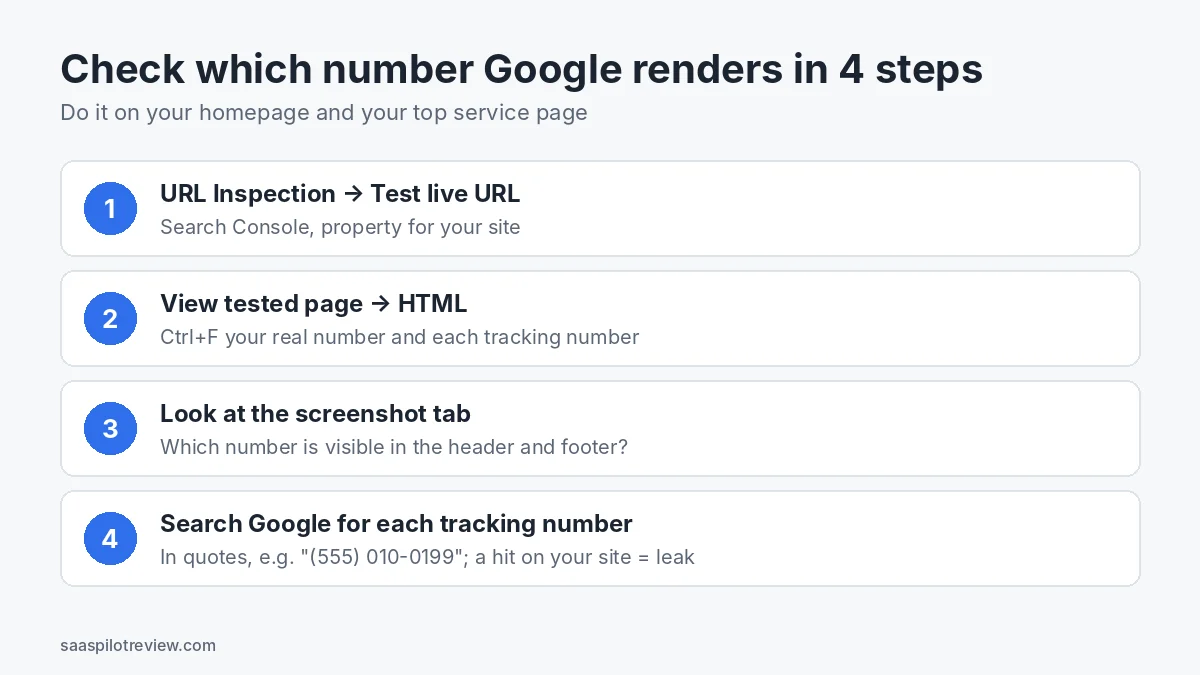
You do not need to guess. Search Console shows you what Google rendered, and it takes four checks.
- Run a live test. In Google Search Console, paste your homepage URL into URL Inspection and click “Test live URL”.
- Search the rendered HTML. Click “View tested page”, open the HTML tab and search for your real number and for each tracking number in your pool. Try the number with and without dashes and brackets.
- Look at the screenshot. The screenshot tab shows which number is visible in the header, the click-to-call button and the footer as Google rendered them.
- Search for leaks. Search Google for each tracking number in quotes. A result from your own site means Google indexed a page showing that number.
Repeat the test on your busiest service page, because some sites load a different script or template there. Run it again whenever you change swap rules or add a number pool.
Swap settings that keep your real number in front of Google
The exact menus differ by vendor, so treat these as what to look for rather than button names.
- Direct traffic keeps the real number. If your tool has a default or fallback number for visitors that match no source, set it to your real local number, not a pool number.
- Know what a visitor-level pool does. Visitor-level (session) tracking hands each visitor a number from a pool so it can tie calls to keywords and pages. It is useful for ads; check whether it also applies to direct visits.
- Keep one copy of the real number fixed. Most DNI scripts let you exclude an element from swapping. Keep the footer number, next to your address, unswapped so the NAP block always matches your citations.
- Schema stays on the real number. LocalBusiness markup should carry the number you use on Google and directories. In the 2019 forum thread, one reply noted that schema should also match what visitors see, which is another reason to keep the footer number fixed.
- Organic tracking is optional. If you swap for organic visits, Googlebot is still unlikely to match that rule because it does not arrive from a search results page. If you would rather not take the chance, measure organic calls with the method in our guide to tracking calls after Google removed GBP call history.
Your Business Profile number is a separate decision
DNI only touches your website. Your Google Business Profile has its own phone fields, and Google’s rules there are short. The guidelines for representing your business ask for a local number instead of a central call center helpline where possible, a number under the direct control of the business, and no numbers that redirect or refer users to numbers other than those of the actual business. Premium-rate numbers are banned. The help page on phone numbers lets you add one primary number and up to two more.
The guidelines do not mention call tracking numbers. Many local SEOs, including the Sterling Sky team, put a local tracking number in the primary field and the main business number as an additional number. That is common practice, not official guidance. One reader comment on that post reported a suspension after the change; Joy Hawkins replied that she had never seen Google enforce the rules against tracking numbers. Use a local number you own in your own tracking account, and keep the main number listed as an additional number.
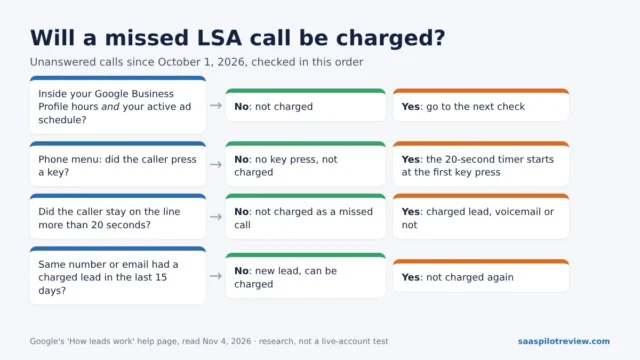
If your calls come from Local Services Ads rather than the free profile, the numbers are managed by Google, and the setup is different. Our guide on how to track Google LSA calls covers that case.
What DNI costs a small home service business
You do not need an enterprise contract for script-based number swapping. Two tools that publish prices and include DNI:
| Tool | Plan with DNI | Published price | Usage and trial |
|---|---|---|---|
| Nimbata | Pro (“Unlimited call flows + DNI”) | $39/month, or $35/month on the annual plan | Usage billed on top; 14-day trial, no card, capped at 2 numbers and 50 answered calls |
| CallRail | Lead Tracking | From $50/month plus usage; yearly plans save up to 10% | 5 local numbers and 250 local minutes included, extra local numbers $3; 14-day trial, no card |
Prices checked October 26, 2026 on each vendor’s pricing page. CallRail’s page does not list DNI as a named feature of Lead Tracking, so confirm with sales which swap options your plan includes. Usage charges grow with call volume, so a team taking a few hundred calls a month should compare the per-minute and per-call rates rather than the plan price alone. More options are in our call tracking and lead gen hub.
Bottom line by setup
- Owner-operator with no ads: you probably do not need DNI. One dedicated number on your Business Profile and your phone app’s call log answer most questions.
- Running Google Ads or Facebook ads to your site: this is where DNI earns its fee, because it shows which campaign each call came from. Swap only for paid sources, leave direct visits and the footer on your real number, and run the four checks above once.
- Agency managing several locations: make the Search Console live test part of every onboarding, and keep tracking numbers off directories except one or two paid listings you measure on purpose.
How this guide was researched
We read Google’s documentation, two practitioner articles, one public forum case and the vendors’ pricing pages on October 26, 2026. We have not run a controlled ranking test with DNI on and off, so this page does not claim a measured ranking effect, and we do not score the tools here. Our process is on the how we test page.
Sources
- Google Search Central: understand the JavaScript SEO basics
- Google Business Profile Help: guidelines for representing your business
- Google Business Profile Help: add your phone number
- Sterling Sky: call tracking and local SEO, 5 myths busted (2020)
- Search Engine Journal: the truth about SEO and call tracking (2013)
- Local Search Forum: dynamic number swapping being crawled by Google (2019)
- Nimbata: pricing
- CallRail: pricing