November 15, 2026 · What changed: Google is inviting some US and UK businesses into a closed beta called Google Business Home, a single dashboard that connects your Business Profile, Google Ads, Merchant Center and YouTube, with a Gemini assistant on top. A separate test of a redesigned Business Profile performance report was spotted a day later.
How this page was made: researched from Google’s Business Home Help Center and public reports, not hands-on tested. We do not have beta access. Anything Google has not confirmed is labelled “reported” or “test”.
If you run a plumbing, cleaning or HVAC company from a phone, this matters for one reason: Google is building a place to manage your profile, reviews, posts and ads together again, a few years after it moved profile editing into Search and Maps. Below is what Google’s own help pages confirm, who can get in, and what to do with your profile while you wait. If your profile is stuck in verification right now, fix that first with our guide to GBP video verification that keeps failing.
Google Business Home in one paragraph
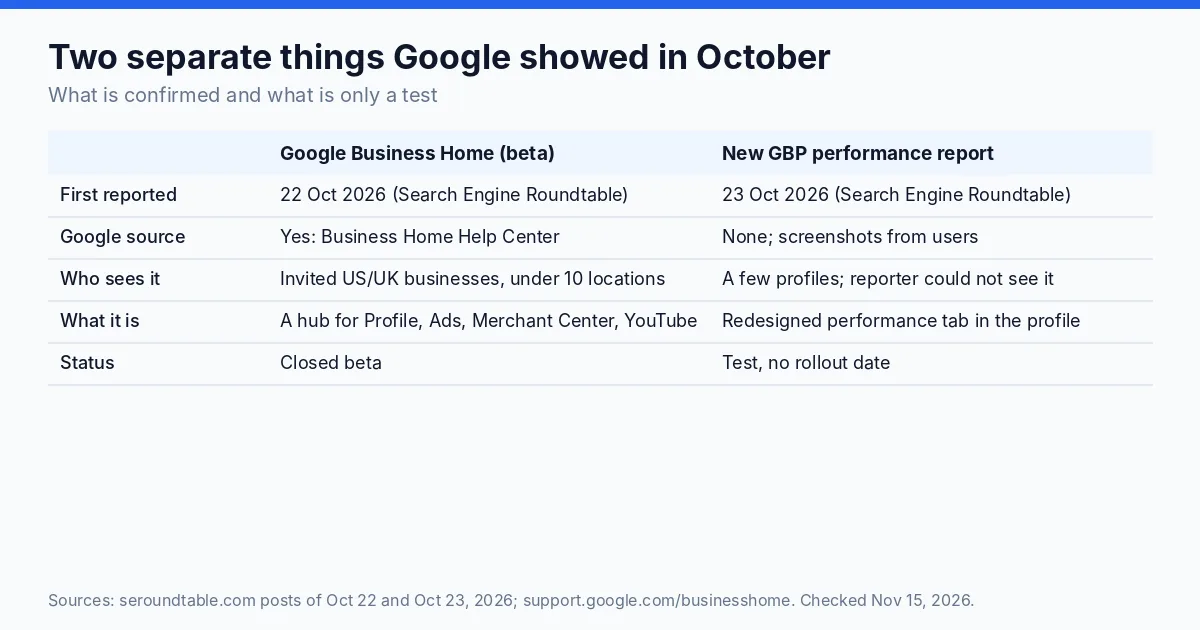
Google Business Home is a closed beta that pulls a small business’s Google tools into one dashboard. Google’s help center calls it “a growth partner built with Gemini models that connects your essential business tools” (About Business Home). The invitation email that Search Engine Roundtable published says the beta “brings together your Business Profile, Merchant Center, YouTube, and Ads accounts all in one place” (Search Engine Roundtable, Oct 22, 2026). There is no Google blog post or price; it is invite-only.
Who can get the beta
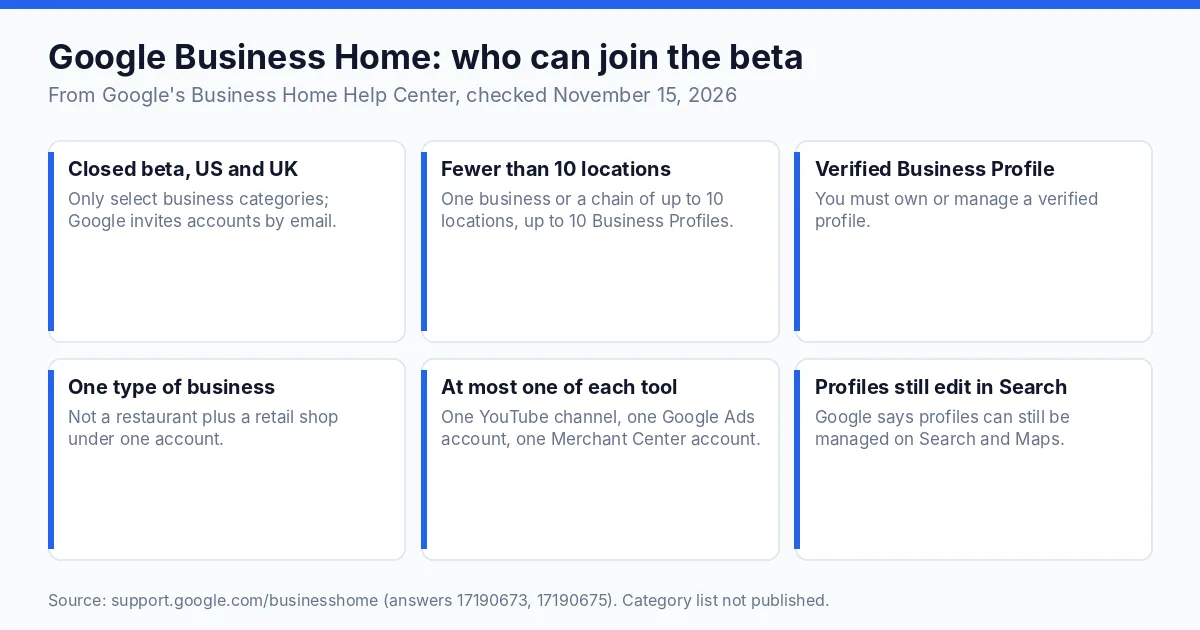
Only invited businesses in the US and UK, in categories Google has not listed. The help center sets these rules:
| Rule | What Google’s help page says | What it means for a service business |
|---|---|---|
| Country | “Your business must be based in the US or UK.” | Canada and Australia are out for now. |
| Profile | Owner or manager of a verified Business Profile with fewer than 10 locations | An unverified or suspended profile will not qualify. |
| Size | One business or a chain of up to 10 locations, up to 10 Business Profiles | Fine for a 1–3 branch HVAC or cleaning company; not for franchise groups. |
| Business type | One type of business per account | A roofer who also runs a supply shop under the same login may be excluded. |
| Linked tools | At most one YouTube channel, one Google Ads account, one Merchant Center account | Agencies managing many Ads accounts from one login will hit this. |
| Access | Eligible businesses “will receive an email inviting you” | There is no public waitlist we could confirm. |
Sources: About Business Home and Manage locations in Business Home. Search Engine Roundtable reported a sign-up link (business.google.com/create?flow_id=bh); we could not confirm that it admits businesses that were not invited.
What you can do inside it
Google lists four areas in the beta: AI content and photo tools, location management (hours and review replies), growth guidance based on your business data, and AI-powered customer messaging through RCS for Business.
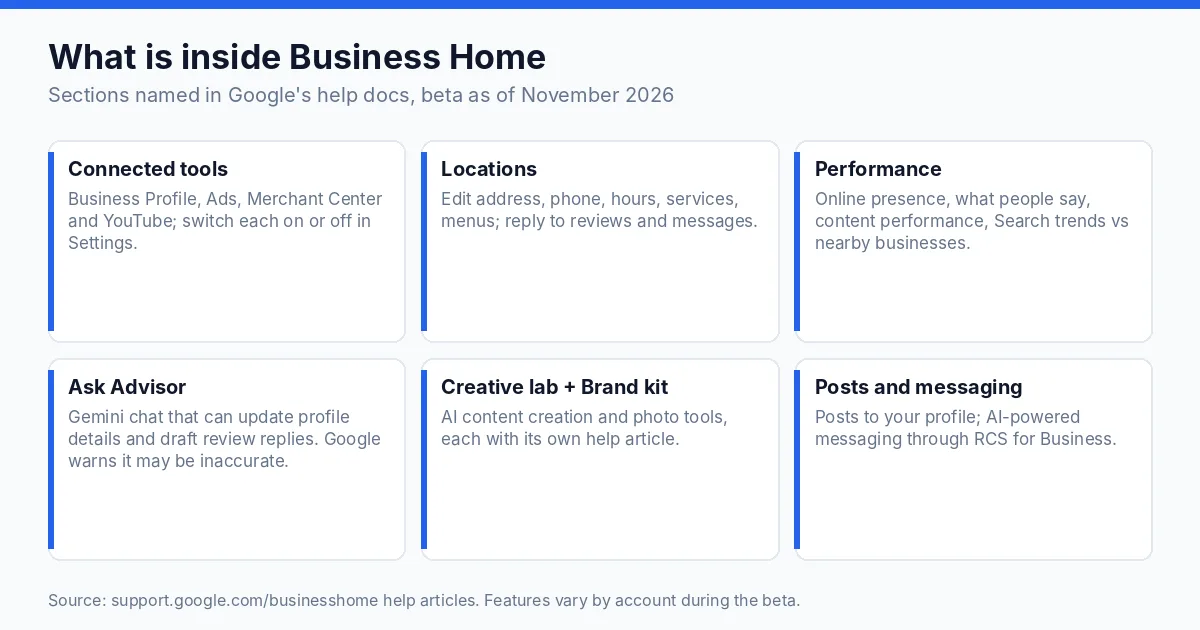
- Locations. Edit address, phone, website and hours, plus services, menus and pickup or delivery options, and reply to reviews and messages (help article). Google also says you can still manage profiles directly on Search and Maps, so nothing forces you to switch.
- Ask Advisor. A chat assistant that can update profile details, draft review replies, edit images and explain Ads campaigns. Google’s own warning: it “may not generate accurate or relevant responses” (Ask Advisor help). Read every reply it drafts before it goes live; we covered the same risk in Gemini replying to your Google reviews.
- Creative lab, Brand kit and Posts. Separate help articles cover AI content and photo tools and posting to your profile.
- Connected tools. Under Settings you turn Business Profile, Ads, Merchant Center and YouTube on or off; you need owner or manager rights on each.
The Performance page: the part worth watching
For an owner, the most useful piece is a single report that mixes profile, website, Ads and review data. Google’s Performance help article lists four card groups: “Your online presence” (website, Google Ads, Business Profile), “What people say about you”, “Your content performance” and “Search trends”, which compares your views with similar businesses nearby.
Three details from that page that competitors’ write-ups skip:
- AI call and chat metrics. Business Profile cards include “Business Messaging AI agent handled conversations” and “Time saved”. The time-saved number assumes “an average conversation time of 5 minutes”, so treat it as an estimate, not a measurement.
- Data lags. “Searches” updates at the start of each month and can take up to 5 days to appear; product performance can take up to 2 weeks. Google also warns of “minor discrepancies or delays” against other tools.
- Ads cost sits next to calls. Ads impressions, clicks, CTR and cost appear on the same page as profile calls and bookings, which is the closest Google has come to showing spend and leads side by side for a local business. If you run Local Services Ads, that is still a separate product; see how to track LSA calls.
Do not confuse it with the new performance report test
A day after the Business Home report, Search Engine Roundtable showed screenshots of a redesigned performance section inside regular Business Profiles, with Overview recommendations, Engagement, Reviews, Audience and Search trends (Search Engine Roundtable, Oct 23, 2026). The screenshots came from other users; the reporter wrote that he did not see it yet. Google has published nothing about this test, so we treat it as a test with no rollout date. Some blogs list extra features for it, such as age ranges and review sentiment; we found no primary source for those and leave them out.
What a local service business should do now
You cannot apply, so the useful moves are the ones that make you eligible and keep your data clean when an invite arrives.
- Get verified and stay verified. Only verified profiles qualify. Answer Google’s suggested edits within the 4-day window so the details Business Home pulls in are yours, not a stranger’s edit.
- Tidy your account ownership. One business type, one Ads account, one YouTube channel and one Merchant Center account per login. If an agency owns your Ads account, ask for owner access now.
- Do not rely on “Time saved”. If you already use an AI receptionist, count booked jobs in your own job software, not Google’s 5-minute estimate. Our AI receptionist comparison covers tools that log calls you can audit.
- Keep using Search and Maps. Google says profiles can still be managed there; there is no announced shutdown of the current tools.
- Check your inbox. Invites arrive by email with a “View your business home” link. Make sure the Google Account that owns the profile is one someone actually reads.
What we still do not know
- Which business categories are in the beta. Google has not listed them.
- Whether it will cost money. No price appears anywhere official.
- When it opens beyond the US and UK, or to accounts with 10+ locations.
- Whether the redesigned performance report and the Business Home Performance page will merge.
We will update this page when Google publishes more than help articles. For more Google Business Profile changes, see the local SEO hub. How we research and when we test is on how we test.
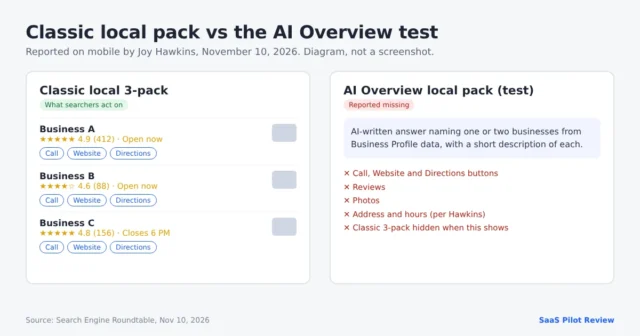
Related: Google is also testing a local pack inside AI Overviews; see AI Overview local pack test.